DDR5-6400 vs DDR5-6000 for Gaming: Is Faster RAM Worth It in 2026?
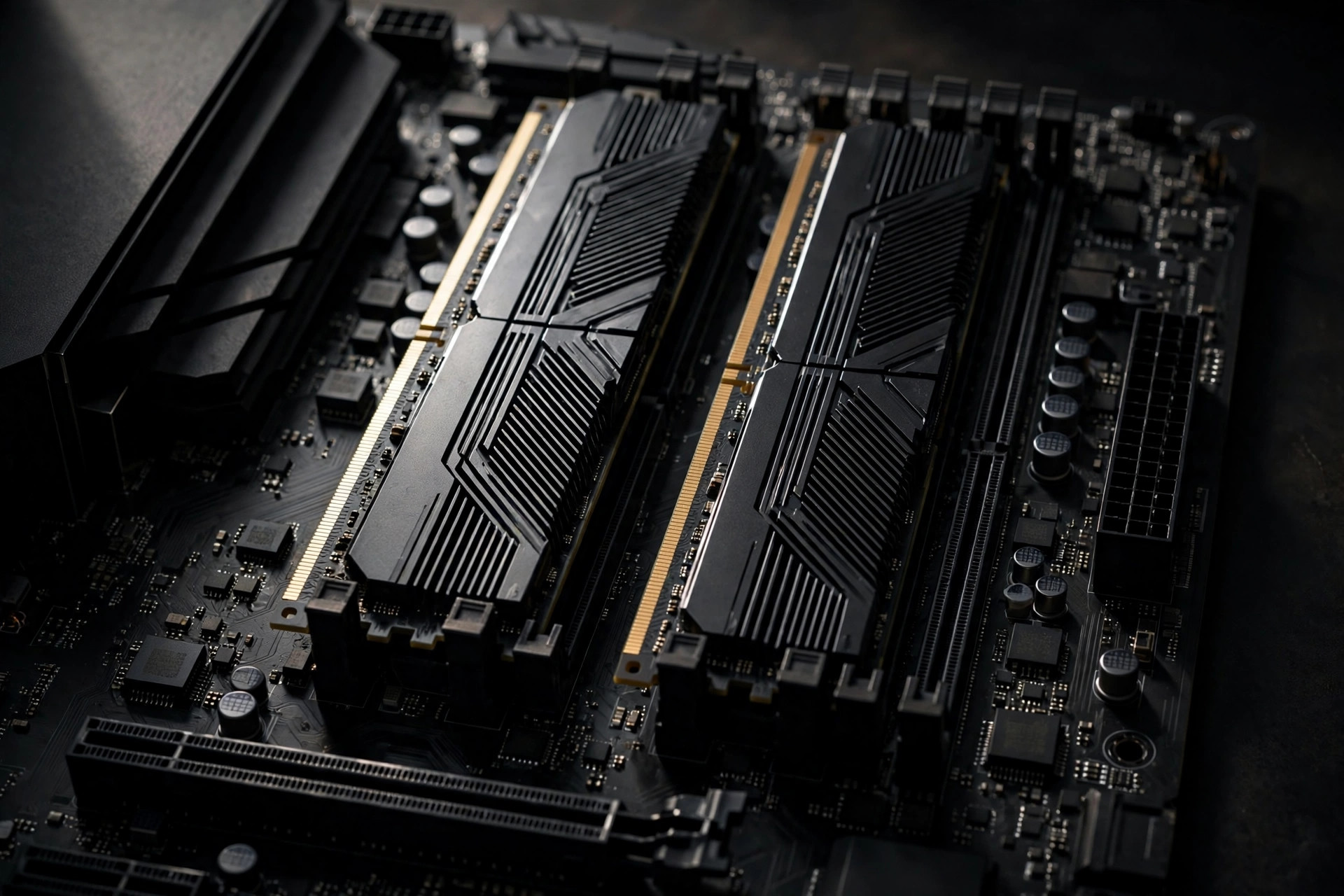
For years, the default DDR5 gaming recommendation was simple: buy DDR5-6000 and call it a day. It was the sweet spot for AMD and Intel — fast enough to matter, cheap enough to be an afterthought. In 2026, DDR5 prices have surged, and the next rung — DDR5-6400 — is the question buyers are asking. Does the extra 400 MT/s buy meaningful frames, or is the money better spent elsewhere? This guide breaks down the real-world difference between DDR5-6400 and DDR5-6000 for gaming, so you can spend with confidence in a market where every gigabyte counts.
The short answer: small gains, real price premium
Across modern titles at 1080p and 1440p, DDR5-6400 over DDR5-6000 typically delivers 2–5 percent higher average frame rates, with larger gains in 1% lows — the dips that affect perceived smoothness. The caveats: the benefit shrinks as resolution climbs, 6400 kits often carry looser timings that offset the frequency advantage, and the 2026 price gap can be 20–40 percent.
DDR5-6400 is faster on paper and in practice, but performance-per-dollar favors DDR5-6000 for most gamers. The 6400 kit makes sense only when the price gap is small or you are chasing every frame on a high-refresh competitive setup.
What actually changes between DDR5-6000 and DDR5-6400
Memory speed for DDR5 is measured in megatransfers per second (MT/s). A jump from 6000 to 6400 MT/s is a 6.7 percent bandwidth increase on paper. But frequency is only half the story — the other half is latency, and many 6400 kits give back part of their advantage through looser CAS timings.
| Specification | DDR5-6000 (typical) | DDR5-6400 (typical) |
|---|---|---|
| Bandwidth per channel | ~48 GB/s | ~51.2 GB/s |
| Common CAS latency | CL30–CL36 | CL32–CL40 |
| True latency (ns) | ~10.0 ns | ~10.0–12.5 ns |
| Voltage | 1.25–1.35V | 1.35–1.40V |
| AMD sweet spot | Yes (1:1 with memory controller) | Usually still 1:1, board-dependent |
| Intel sweet spot | Yes | Yes, with headroom |
Notice the key detail: true latency in nanoseconds — the actual time to fetch data — is often nearly identical, because 6400 kits ship with higher CL numbers. A DDR5-6000 CL30 kit and a DDR5-6400 CL32 kit share the same ~10 ns first-word latency. The 6400 kit wins on raw bandwidth, which matters for throughput-heavy workloads, but latency-sensitive gaming sees less separation than the frequency number suggests.
Platform tuning deep dive: AM5 memory controller ratios vs Intel Gear modes
The frequency on the box is only part of how fast memory performs. On both AMD and Intel, the memory controller (IMC) runs at its own clock, and the ratio between the controller clock and the memory clock often matters more than 400 MT/s. Understanding it is the difference between a 6400 kit that feels fast and one that quietly underperforms a tuned 6000 kit.
On AMD AM5, the key clocks are MCLK (memory clock — 3000 MHz for DDR5-6000) and UCLK (memory controller clock). The golden configuration is UCLK = MCLK, a 1:1 ratio, which minimizes added latency. Most Ryzen 7000/9000 chips hold 1:1 up to 6000–6400 MT/s, but silicon varies: some samples drop to 1:2 (UCLK = MCLK/2) above 6000 MT/s, adding ~10–15 ns of effective latency and erasing the faster kit's bandwidth advantage. A DDR5-6000 CL30 kit at 1:1 will frequently beat a 6400 CL36 kit forced into 1:2.
Practical notes for AM5: enable EXPO, then check the reported UCLK in BIOS or a monitoring tool. If the board trained 6400 MT/s but UCLK shows half of MCLK, you are in 1:2 — drop to 6000 MT/s at 1:1 or try a small SOC voltage bump (stay under 1.25V) and re-train. Do not chase 6400 at 1:2 when 6000 at 1:1 is stable; benchmarks consistently favor the lower ratio.
On Intel platforms, the equivalent concept is Gear modes. In Gear 2, the memory controller runs at half the memory clock; in Gear 4, at a quarter. Intel's recent desktop chips run DDR5 in Gear 2, and at DDR5-6000 or 6400 the controller sits at 1500–1600 MHz — comfortable territory for nearly all samples. Gear 4 only matters at extreme frequencies (DDR5-8000+). For the 6000-vs-6400 decision, Intel builders have it simpler: both speeds run in Gear 2, so the faster kit is genuinely faster, with no ratio trap. The main Intel-side variable is the motherboard's memory topology — two-DIMM boards train high speeds more reliably than four-DIMM boards.
The takeaway: on AMD, verify the ratio before you celebrate the frequency; on Intel, verify the board can actually train the XMP profile. In both cases, a validated, stable 6000 beats an unstable 6400 — marginal memory errors cause the micro-stutters that look like poor 1% lows in frame-time graphs.
Real gaming benchmarks: where the frames go
In CPU-bound scenarios — competitive shooters at 1080p, esports titles pushing 240 Hz+ — DDR5-6400 shows its largest gains: 3–6 percent higher average FPS and up to 8 percent better 1% lows when the GPU is not the bottleneck.
At 1440p the gap narrows to 1–3 percent, and at 4K it largely disappears — the GPU becomes the overwhelming bottleneck. If you game primarily at 4K, DDR5-6400 is not a sensible use of money.
There is also the platform dimension. On AMD AM5, the memory controller runs in a 1:1 ratio with the memory clock up to around 6000–6400 MT/s on most chips, and this ratio matters more than raw frequency. A well-tuned DDR5-6000 CL30 kit running 1:1 can match or beat a DDR5-6400 kit that forces the controller into a slower 1:2 ratio on a weaker chip. If you are deciding between DDR5 and DDR4 for a new build in 2026, the platform you choose determines how much any of this matters.
Game engines and memory: where bandwidth actually helps
Not all games stress memory the same way. Broadly, three buckets matter.
Simulation-heavy strategy and management games. Grand strategy, city builders with huge agent counts, and large-scale RTS titles hammer the CPU with constant small, unpredictable data access — pathfinding, AI state, entity lists. This is where DDR5-6400 earns its largest margins, sometimes 5–8 percent, because the game is genuinely waiting on memory.
Bucket two: open-world games with heavy streaming. Open worlds stream textures and geometry as you move; bandwidth reduces traversal stutter — brief hitches crossing into new zones. Gains are modest (2–4 percent average FPS) but show up in 1% lows. A fast NVMe SSD keeps the pipeline fed alongside.
Bucket three: GPU-bound AAA titles and competitive shooters at high settings. Cinematic blockbusters at 1440p+ are almost entirely GPU-bound — memory speed is noise. Competitive shooters at low settings and 1080p are the opposite edge case: CPU-bound enough for memory to matter, and the one mainstream category where the 6400-vs-6000 gap is consistently measurable.
Scenario guidance: if most of your playtime is strategy, simulation, or open-world exploration — and you already own a strong GPU — the 6400 kit has a case at a small premium. If your playtime is cinematic single-player games at 1440p or 4K, the memory tier is nearly irrelevant; spend the difference on the GPU tier above.
The 2026 price reality check
With DRAM prices dramatically higher than a year ago, the spread between tiers has widened in absolute terms. A DDR5-6000 CL30 32GB kit now costs what premium kits used to, and DDR5-6400 kits sit a further 20–40 percent above that.
At a $40–$80 gap, the 2–5 percent gaming gain costs roughly $15–$30 per percentage point of performance — poor value versus a better GPU, a larger SSD, or more capacity. The one exception: a 6400 kit priced within 10 percent of an equivalent 6000 kit is worth taking — the headroom costs almost nothing.
Latency vs frequency: how to read a kit's specs
When comparing kits, do not look at frequency alone. Calculate true latency: (CAS latency ÷ frequency in MHz) × 2000 gives you nanoseconds. A DDR5-6400 CL40 kit has 12.5 ns latency — worse than a DDR5-6000 CL30 kit at 10 ns — and in latency-sensitive games, the "slower" kit can win. The hierarchy for gaming value in 2026 looks like this:
| Kit | True latency | Gaming verdict |
|---|---|---|
| DDR5-6000 CL30 | 10.0 ns | The sweet spot — best value |
| DDR5-6000 CL32 | 10.7 ns | Fine if priced right |
| DDR5-6400 CL32 | 10.0 ns | Faster when the premium is small |
| DDR5-6400 CL36 | 11.3 ns | Marginal over good 6000 kits |
| DDR5-6400 CL40 | 12.5 ns | Skip — latency erases the gain |
Enthusiasts chasing the absolute ceiling will also want to read our guide on whether DDR5-8000 speeds actually matter, where the same latency-versus-frequency trade-off appears in more extreme form.
Memory chips and binning: what's inside the kit
Two kits can share the exact same rating — DDR5-6400 CL32 — and behave like different products. The reason is the memory chips (ICs) under the heat spreader. The chip revision determines overclocking headroom, how tight secondary timings can go, and how much voltage stability needs.
SK Hynix A-die is the current overclocking champion: it scales well past 7000 MT/s with reasonable voltage and tolerates tightened secondary timings, and it sits behind most high-end 6400+ kits. Hynix M-die, the older revision, is typically comfortable around 6000–6400 MT/s — fine at its rating, with less headroom beyond it, which is why it appears in budget and mid-range kits.
Samsung's DDR5 chips sit in the middle: decent frequency scaling, good timing behavior, common in mainstream kits. Micron chips historically trail in overclocking headroom but are perfectly adequate at mainstream XMP/EXPO ratings — most Micron-based kits hit their rated 6000 or 6400 without drama but have little left beyond it.
Binning is how vendors sort this out. Chips are tested after manufacturing: the best become high-rated kits, the rest become lower-rated ones. A DDR5-6400 CL32 kit is, by definition, binned better than a DDR5-6000 CL36 kit from the same vendor — but binning varies between brands, and a premium vendor's 6000 CL30 kit may contain better silicon than a budget brand's 6400 CL36. Community teardown databases track which kit part numbers use which chips; if manual tuning is part of your plan, check before you buy — it matters more than the 6000-vs-6400 label.
| Chip type | Typical OC headroom | Common in which kits | Buyer note |
|---|---|---|---|
| SK Hynix A-die | 7000–8000+ MT/s | High-end 6400 CL32 and above | Best choice for manual tuning |
| SK Hynix M-die | 6000–6600 MT/s | Mid-range 6000–6400 kits | Fine at rating, limited headroom |
| Samsung DDR5 | 6400–7200 MT/s | Mainstream performance kits | Balanced; check part-number databases |
| Micron DDR5 | 5600–6400 MT/s | Budget and value kits | Reliable at rating, little OC left |
Common mistakes when buying faster RAM
Mistake one: the CL40 trap. Budget 6400 kits are often CL40 to hit the frequency number cheaply. A 6400 CL40 kit has worse true latency (12.5 ns) than a 6000 CL30 kit (10 ns) — you pay more for a kit that is slower in latency-sensitive games. Always compare true latency, not just MT/s. If the 6400 kit is CL38 or looser, walk away.
Mistake two: four-DIMM configurations. Populating all four slots puts significantly more load on the memory controller. A board and CPU that train DDR5-6400 effortlessly with two sticks may only manage 5600–6000 with four. If you need 64GB, buy two 32GB sticks — and never "add another kit later" expecting rated speeds to hold.
Mistake three: ignoring the motherboard QVL. The Qualified Vendor List on your motherboard's support page lists kits actually tested at rated speeds on that exact board. In a market where controllers are picky and BIOS versions matter, a QVL-listed kit is the cheapest insurance against failed memory training and random crashes — doubly so at 6400, where board-to-board variance is larger than at 6000.
Mistake four: paying for 6400 when the board only trains 6000 stable. Budget and older mid-range boards sometimes cannot hold 6400 MT/s regardless of the kit. Check owner reports for your exact board model, and update the BIOS — memory compatibility is one of the most common improvements in BIOS updates. If your board's realistic ceiling is 6000, a premium 6400 kit is wasted money.
Mistake five: mixing kits. Two kits bought months apart, even with identical part numbers, can contain different chip revisions from different production runs. Mixed kits frequently refuse to train at rated speeds together. Buy the full capacity you need in one matched kit, in one purchase.
The used-market angle
In 2026's inflated memory market, the second-hand market deserves a serious look. A used DDR5-6400 CL32 kit from a careful owner can cost less than a new DDR5-6000 CL30 kit — flipping the value equation entirely. But used memory carries specific risks, and the checklist matters.
What to check: ask the seller for the exact part number and, if possible, a screenshot of the kit running at its rated XMP/EXPO profile. Verify the part number against chip databases — a used kit with Hynix A-die is a better buy than one with unknown chips. Inspect listing photos for bent or corroded contacts and cracked heat spreaders; either is a walk-away sign.
The risks: memory rarely fails outright, but degraded overclocking headroom is real — a kit that spent two years at high voltage and 7000 MT/s may no longer hold its rated profile comfortably, and there is no reliable way to verify how hard it was pushed. Prefer sellers who ran stock XMP/EXPO, and budget for possibly running one step below the rating (a used 6400 kit that only does 6200 stable is still a good deal at the right price).
Price discipline: a fair used price is roughly 60–75 percent of new for a clean kit with proof of stable operation. Below 50 percent, be suspicious; near new price, just buy new for the warranty. Always test on arrival with a memory stress test for at least a full pass before the return window closes — memory errors are silent data corruption until they become crashes.
Who it's for / who should skip it
DDR5-6400 is for you if: you play competitive shooters at 1080p on a 240 Hz+ monitor; you run an AMD AM5 or Intel build where your board and chip are confirmed stable at 6400 MT/s in a 1:1 ratio; the price gap over an equivalent DDR5-6000 kit is under 10–15 percent; or you enjoy manual memory tuning and want the extra headroom.
Skip it if: you primarily game at 1440p ultrawide or 4K; the kit you are eyeing is CL38 or looser (the latency penalty wipes out the bandwidth gain); you are on a strict budget in the current price environment; or you would have to sacrifice capacity (dropping from 32GB to 16GB) to afford the faster kit — capacity beats speed for real-world smoothness. If you are still sizing your build, start with our guide to how much RAM you actually need in 2026 before picking a speed tier.
FAQ
Is DDR5-6400 noticeably faster than DDR5-6000 in games?
Marginally. Expect 2–5 percent higher average frame rates and slightly better 1% lows in CPU-bound scenarios at 1080p/1440p. At 4K the difference is essentially zero — the GPU is the bottleneck.
Does DDR5-6400 work on AMD AM5 motherboards?
Usually yes, but stability depends on the specific CPU's memory controller and the motherboard. Most AM5 chips handle 6400 MT/s in a 1:1 controller ratio, but some samples need a 1:2 ratio or slightly lower speeds. Check your motherboard's QVL list for validated 6400 kits.
Should I prioritize lower latency or higher frequency?
For gaming, prioritize the combination: low true latency first, then frequency. A DDR5-6000 CL30 kit (10 ns) will beat a DDR5-6400 CL40 kit (12.5 ns) in most latency-sensitive games. Use the true-latency formula — (CL ÷ MHz) × 2000 — to compare kits honestly.
Is DDR5-6400 worth it with 2026 memory prices?
Only if the premium is small. The typical 20–40 percent price gap buys just 2–5 percent more performance — poor value versus a better GPU or more capacity. Buy 6400 only when it costs within about 10 percent of the 6000 kit.
Can I just overclock a DDR5-6000 kit to 6400?
Often yes. Many DDR5-6000 CL30 kits use the same memory chips as 6400-rated kits and will run at 6400 MT/s with a small voltage bump, especially with XMP/EXPO disabled and manual tuning. Results vary by chip quality, so treat it as a bonus, not a guarantee.
What is the difference between Hynix A-die and M-die for gaming?
At stock XMP/EXPO ratings, little — both run their rated speeds. The difference appears when tuning: A-die scales to 7000+ MT/s with tighter secondary timings, while M-die typically tops out around 6400–6600. If you will never touch manual settings, don't pay extra for A-die.
Will four sticks of DDR5-6400 run at full speed?
Probably not. Four-DIMM configurations load the controller heavily, and most boards drop to 5600–6000 MT/s with all slots populated. For 64GB, buy a two-stick 2×32GB kit rather than two 2×16GB kits.
Is buying used DDR5 memory safe?
Generally yes, with verification. Memory rarely fails outright, but degraded overclocking headroom is possible on kits pushed hard. Ask for proof of stable operation at rated speeds, inspect the contacts in photos, pay 60–75 percent of new price, and run a full stress test within the return window.
Do I need to update my BIOS for DDR5-6400?
It often helps significantly. Memory training reliability and EXPO/XMP stability are among the most improved areas in BIOS updates. If your board struggles to train 6400 on an older BIOS, updating is the first troubleshooting step before blaming the kit.
The bottom line for 2026: DDR5-6400 is genuinely faster than DDR5-6000, but the gap is small, the premium is large, and the details — controller ratios, true latency, chip quality, board capability — decide whether you see the difference. Buy 6400 when the premium is under 10 percent and your platform is confirmed stable at that speed; otherwise, a well-chosen DDR5-6000 CL30 kit remains the smartest money in gaming memory.