microSD Express Cards: Storage for Switch 2 and Handhelds
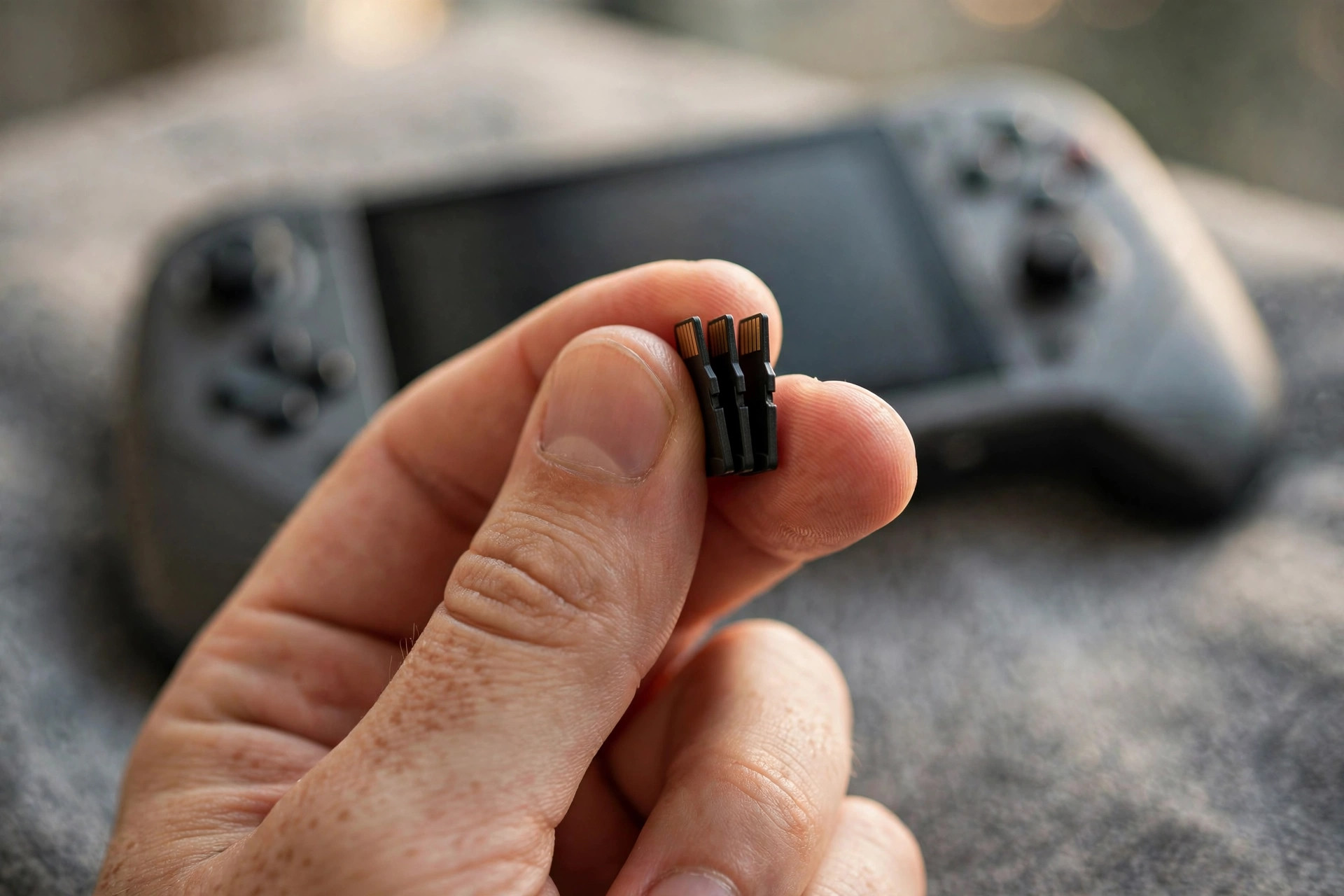
Nintendo's Switch 2 made an obscure memory-card standard mandatory overnight: microSD Express. Your drawer full of old microSD cards will not work for Switch 2 game storage — the console requires Express cards exclusively. For millions of buyers, this is the first encounter with a technology that puts a PCIe NVMe interface inside a fingernail-sized card.
This guide explains what microSD Express actually is, how it compares to the cards you own, and what to buy for the Switch 2, handheld PCs, drones, and cameras in 2026.
What is microSD Express?
Standard microSD cards speak the SD protocol over a UHS-I or UHS-II bus — technology that topped out years ago. microSD Express adds a second row of pins carrying PCIe Gen3 x1 and the NVMe protocol — the same language internal SSDs speak. The result is a card that behaves like a tiny SSD: up to 985 MB/s theoretical, with real-world reads around 800 MB/s and writes around 600–700 MB/s on current cards.
The clever part is backward compatibility in one direction: microSD Express cards work in old UHS-I devices (falling back to SD mode), but old microSD cards do not unlock Express speeds in new devices. The Switch 2 simply refuses non-Express cards for game storage — it needs the guaranteed minimum performance the standard provides.
Under the hood: how PCIe and NVMe change a memory card
The difference between microSD Express and every card before it is architectural, not incremental. Legacy microSD speaks the SD protocol: a single command queue, half-duplex communication, and a host controller designed when 25 MB/s was ambitious. microSD Express adds a second row of contacts carrying a PCIe Gen3 x1 lane — the same serial interconnect inside every modern PC — with NVMe running on top, the storage protocol built for parallelism.
Why that matters for games: NVMe supports tens of thousands of queued commands across multiple queues, while the SD protocol processes essentially one thing at a time. Game loading is not one big sequential read; it is thousands of small random reads — textures, audio, geometry — issued as fast as the engine can ask. An Express card answering those requests with NVMe queue depth behaves like a small SSD, while a UHS-I card answering them one at a time behaves like a memory card. The headline sequential numbers (800 vs 100 MB/s) actually understate the gap where it counts: random-read IOPS, where Express cards outperform UHS-I by an order of magnitude or more.
The fallback design is elegant. The original SD pins remain, so an Express card in an old reader simply negotiates UHS-I mode and the PCIe pins sit idle. Power is the one compromise: NVMe controllers draw more than SD controllers, which is why Express cards run warmer and why the standard includes low-power states that the Switch 2 uses aggressively when idle.
microSD Express vs UHS-I vs UHS-II
| Card type | Interface | Real read | Real write | Typical price (256GB) |
|---|---|---|---|---|
| UHS-I (U3/A2) | SD bus, 104 MB/s | 90–100 MB/s | 60–90 MB/s | $20–30 |
| UHS-II | SD bus, 312 MB/s | 250–300 MB/s | 200–260 MB/s | $50–80 |
| microSD Express | PCIe Gen3 x1 + NVMe | 700–880 MB/s | 500–700 MB/s | $45–75 |
The striking detail: microSD Express cards cost roughly what UHS-II cards cost while delivering triple the speed. The standard sat nearly unused for years because no device required it — the Switch 2 changed that, and volume is finally driving prices down. Anyone who bought UHS-II for a camera in 2024 paid more per megabyte per second than Express buyers pay today.
Game load times: what the speed actually buys you
Against the Switch 2's internal storage, a good Express card is effectively tied — both are NVMe-class, and testing shows loading differences measured in fractions of a second. That parity is the entire point of Nintendo's mandate: developers can stream assets assuming fast storage, the way PC games assume an SSD, without a slow-card lottery fragmenting the player base.
Against the forbidden alternative — a UHS-I card, which the console rejects for game storage — the gap would be brutal: roughly 8x on sequential reads and far more on the random reads that dominate level loads. In practical terms, expect open-world fast-travel and level transitions on Express to complete in seconds where UHS-class storage would take tens of seconds and stutter during texture streaming.
Card-to-card differences among genuine Express cards are small for gaming. A premium card might benchmark 880 MB/s against a budget genuine card's 700 MB/s, but game loading is random-read bound at queue depths the console sets — both cards saturate what the Switch 2 asks of them. This is why the buying advice is blunt: buy genuine, buy the capacity you need, and stop comparing spec sheets.
Ratings decoded: A1, A2, V30, and what gamers actually need
Card packaging is alphabet soup. Here is what matters for gaming. Application Performance Class (A1/A2) guarantees minimum random read/write IOPS — A2 demands 4,000 read and 2,000 write IOPS. For game storage, A2 is the meaningful baseline; it certifies exactly the small-random-read performance that loading screens depend on. Video Speed Class (V30/V60/V90) guarantees minimum sustained sequential write — V30 means 30 MB/s without dropping frames. It matters for recording video rather than playing games, but a V30 rating on an Express card is a useful authenticity signal: counterfeiters rarely bother faking it correctly.
U3 (UHS Speed Class 3) is the older sustained-write mark — 30 MB/s, same as V30 — and largely redundant on Express cards. What you will not find is a single "gaming" rating, because none exists; the combination that covers a Switch 2 plus a drone or camera is Express + A2 + V30, certifying fast random reads for games and reliable sustained writes for 4K/8K capture.
One caution: ratings describe minimums under test conditions, not maximum speed. Two A2 V30 Express cards can still differ in peak sequential throughput — but as established above, that difference barely registers in actual gameplay.
What the Switch 2 actually requires
Nintendo's requirement is strict: only microSD Express cards work for Switch 2 game storage. Regular microSD cards are rejected for downloads and game data. The console supports up to 2TB cards, and its internal storage is 256GB — modest once you see modern game sizes.
Do not overthink the brand. Any genuine microSD Express card from a reputable maker meets the spec; the Switch 2 does not benefit from exotic pro variants because game loading is random-read bound at queue depths the console itself sets. Buy on price per gigabyte from a seller you trust — counterfeit cards remain the real enemy, not spec differences. Verify capacity with a tool like h2testw or F3 before trusting a card with a 100-hour save file.
One more practical note: the Switch 2's internal storage uses the same NVMe-style performance class, so a good Express card feels nearly identical to internal storage in loading times. This is the point of the mandate — Nintendo wanted every player on fast storage, with no slow-card lottery fragmenting the experience.
How much capacity do you need?
Switch 2 games are bigger than Switch games — first-party titles land between 10 and 30GB, third-party ports can exceed 60GB. With roughly 230GB usable internally, the internal drive holds a handful of games. A 512GB Express card suits casual players; 1TB is the sweet spot for anyone with a real library; 2TB exists for the price-insensitive.
The value math favors 512GB and 1TB in 2026. The 2TB cards carry a steep premium per gigabyte — buy 1TB now and add a second card later when prices fall. Cards are hot-swappable; there is no penalty for upgrading in steps. Digital-only players who never delete anything should lean toward 1TB from the start. If your storage needs extend beyond the console — photo libraries, video projects, creative work — our portable SSD guide for creators covers the full-size drives that complement a card-based setup.
Capacity planning: how many games fit per card
Game sizes dictate the card. First-party Switch 2 titles typically land between 10 and 30GB; ambitious third-party ports can exceed 60GB; indie titles often sit under 5GB. With roughly 230GB usable on the internal 256GB, the internal drive alone holds a modest rotation — the card carries the library.
| Card size | Approx. usable | What it holds | Best for |
|---|---|---|---|
| 256GB | ~240GB | 8–15 typical games | Kids' consoles, physical-game players |
| 512GB | ~480GB | 15–30 typical games | Casual digital buyers |
| 1TB | ~960GB | 30–60 typical games | Most players — the sweet spot |
| 2TB | ~1.9TB | 60–120 typical games | Digital-only collectors |
The value math in 2026 favors 512GB and 1TB: cost per gigabyte is lowest there, while 2TB cards still carry a steep premium. Cards are hot-swappable, so there is no penalty for starting at 1TB and adding a second card later when prices fall — archive the backlog to the second card and keep the active rotation on the first.
Spotting fakes: the 2026 checklist
Counterfeit cards are the real risk in this market — a fake can silently corrupt a 100-hour save. Run this checklist on every card: 1. Buy from authorized retailers — marketplace third-party sellers pricing 30%+ below market are the primary vector. 2. Verify capacity immediately with h2testw (Windows) or F3 (Mac/Linux), which write the full capacity and read it back; a "1TB" card that is really 128GB of relabeled flash fails on the first pass. 3. Check the markings — genuine cards have crisp laser-etched branding and a serial number; blurry printing or missing serials are red flags. 4. Benchmark it — a genuine Express card reads 700+ MB/s in an Express-capable reader; a counterfeit usually manages UHS-I speeds because it is a UHS-I card in disguise. 5. Register the warranty with the manufacturer; fakes carry invalid serials.
If a deal looks too good, it is. Genuine NAND has a cost floor, and no seller beats it by 40%.
Beyond the Switch 2: drones, cameras, handhelds
microSD Express matters beyond Nintendo. High-bitrate drones and mirrorless cameras are adopting it for 8K video modes that exceed UHS-II's ceiling — sustained writes near 500 MB/s finally make high-frame-rate 8K practical on a removable card. Handheld PCs in the Steam Deck lineage increasingly ship Express-capable slots, where the cards serve as fast game-library expansion.
For general portable storage, an Express card plus a USB4 card reader is a surprisingly capable tiny SSD: 800 MB/s reads in something the size of a coin. It will not replace a real USB4 portable SSD for sustained workloads — thermals in that form factor are unforgiving — but as pocketable fast storage it has no rival.
Migrating to a bigger card, step by step
Outgrown your card? Migration is simple: 1. Copy the entire contents of the old card to a folder on your computer (or clone it with a disk-imaging tool for an exact copy). 2. Insert the new card and format it in the Switch 2 itself, so the console creates its expected folder structure. 3. Copy the files back onto the new card, preserving the folder layout. 4. Reinsert, let the console verify the data, and spot-check a game's save file before wiping the old card. Keep the old card as a backup for a week — storage is cheap, save files are not.
2026 market and pricing: what Express cards cost now
The Switch 2 turned microSD Express from a niche curiosity into a volume product, and pricing reflects it. In 2026, genuine 256GB Express cards sit around $45–75, 512GB around $80–130, 1TB around $150–220, and 2TB around $350–500 — roughly tracking UHS-II pricing per gigabyte while delivering triple the performance. The price curve is steepest at the top: 2TB cards cost more than twice the per-gigabyte rate of 1TB, which is why 1TB remains the rational buy.
The brand landscape is consolidating around established flash makers — the same companies that dominate SSDs and memory — plus a long tail of relabeled cards of dubious origin. Stick to the established names sold through authorized channels; the savings on an unknown label are never worth a corrupted save library. Watch for bundle deals around console launches and holiday sales, when 1TB cards routinely dip 15–20%. And remember the trajectory: every quarter of Switch 2-driven volume pushes per-gigabyte pricing down, so today's premium capacities become next year's sweet spot.
Heat and endurance in a tiny package
NVMe performance in a microSD form factor raises an obvious question: heat. Express cards do run warmer than UHS-I cards under sustained load, and prolonged 4K/8K recording sessions can trigger thermal throttling on the cheapest cards. Reputable makers design for this with thermal-aware firmware; counterfeit or no-name cards do not. For video recording, buy cards explicitly rated for video speed classes (V30 or higher) on top of the Express rating.
Endurance follows the same logic as any flash: higher-capacity cards from the same line generally carry higher terabytes-written ratings, because wear spreads across more NAND. A 1TB card does not just hold more — it lasts longer under the same workload. The PCIe interface itself does not wear the NAND faster; the controller's efficiency matters more, which is another reason to stick with established makers. The underlying flash economics are the same forces covered in our PCIe Gen5 SSD guide — interface generations advance faster than NAND physics.
Who it's for / who should skip it
Buy microSD Express if: you own a Switch 2 (you have no choice for game storage), you shoot 8K video on drones or mirrorless bodies with Express slots, you expand a handheld PC's game library, or you want the fastest pocketable storage available.
Skip it if: your devices only have UHS-I slots — the card works but you pay for speed you cannot use; you need cheap bulk storage for a dashcam or music player — UHS-I remains far cheaper; or you are buying for an original Switch, which cannot use Express speeds at all.
FAQ
Will my old microSD cards work in the Switch 2?
Not for game storage — the Switch 2 requires microSD Express cards for downloads and game data, and rejects standard microSD cards for that purpose. Old cards still work in the original Switch and in other UHS-I devices, so they are not e-waste; they are just not Switch 2 game storage.
Do microSD Express cards work in older devices?
Yes, with a fallback. Express cards include the legacy SD interface, so they function as ordinary UHS-I cards in old phones, cameras, and readers. You simply do not get Express speeds without an Express-capable slot — the extra PCIe pins sit idle.
Is there a real speed difference in Switch 2 loading times?
Versus the internal storage, almost none — that is the point of the mandate. Versus a hypothetical UHS-I card (which the console forbids for games), the difference would be enormous: Express reads roughly 8x faster. Nintendo standardized on fast storage so developers can assume it.
What size microSD Express should I buy for Switch 2?
512GB for light digital buyers, 1TB for most players — it holds dozens of games and hits the current value sweet spot. Only consider 2TB if you keep an enormous library installed simultaneously and dislike re-downloading; the per-gigabyte premium is steep in 2026.
Are cheap no-name Express cards safe?
No. Counterfeit and relabeled cards are rampant, and a fake card can silently corrupt saves. Buy from authorized retailers, verify the capacity with h2testw or F3 on arrival, and be suspicious of prices far below the market — genuine NAND has a cost floor.
Can I use a microSD Express card in a Steam Deck or other handheld PC?
If the slot is Express-capable, yes — and it makes excellent game-library expansion, with load times far beyond UHS-I. But many handheld PCs have UHS-I-only slots, where an Express card works but falls back to ~100 MB/s. Check the device specs for "microSD Express" or "SD Express" support before buying the card for it.
Do I need to format the card in any special way for the Switch 2?
No — insert the card and the console handles initialization itself, including any required formatting. If you are migrating from a smaller card, format the new card in the console first, then copy your files over using the migration steps above. Do not pre-format on a PC with exotic settings; let the Switch 2 own the filesystem.
Will 2TB microSD Express cards get cheaper?
Almost certainly. The Switch 2 created the first true volume market for Express cards, and NAND pricing trends plus rising production volumes point to steady per-gigabyte declines through 2026 and into 2027. If 2TB pricing stings today, buy 1TB now and revisit 2TB in a year when the premium has compressed.
microSD Express went from footnote to mandatory in a single console generation, and the Switch 2's bet looks correct: tiny NVMe storage at UHS-II prices, with headroom for 8K video and next-generation handhelds. Buy 1TB from a reputable maker, verify it, and never think about loading screens again.