XS2000 vs XS1000: Picking the Right Portable SSD
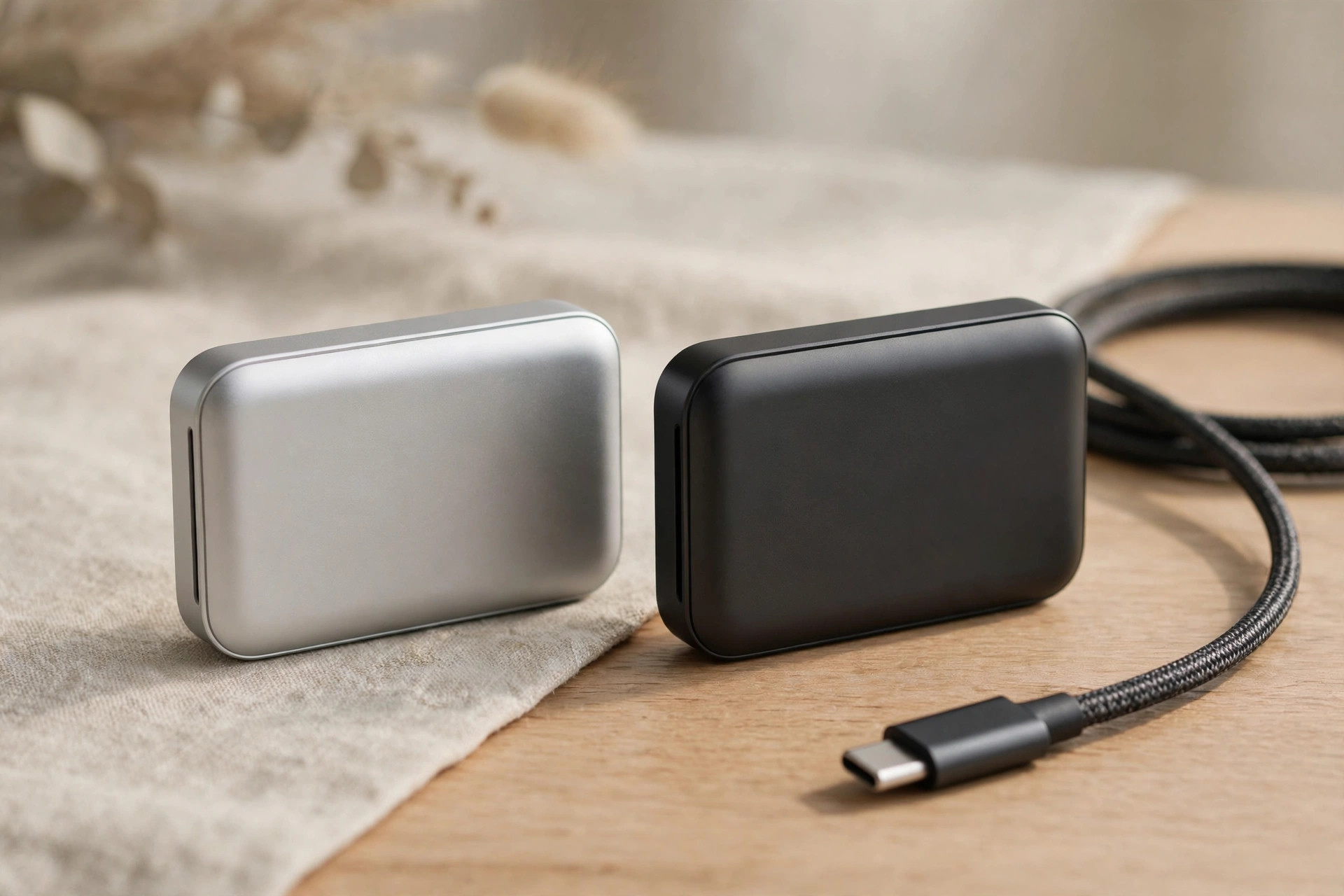
The two pocket-sized portable SSDs look nearly identical, but the XS2000 (up to 2,000MB/s) and XS1000 (up to 1,050MB/s) serve different buyers. If you are trying to pick the best portable SSD in 2026 for your workflow, here is how to choose between speed you can actually use and value you will actually feel.
The core difference, in one table
| XS2000 | XS1000 | |
|---|---|---|
| Advertised speed | Up to 2,000MB/s | Up to 1,050MB/s |
| Interface | USB 3.2 Gen 2x2 (20 Gbps) | USB 3.2 Gen 2 (10 Gbps) |
| Port required for full speed | 20 Gbps USB-C | Any USB-C / USB-A 10 Gbps |
| Capacities | 1TB / 2TB | 1TB / 2TB |
| Chassis | Compact metal-and-plastic, rubber sleeve included | Compact metal-and-plastic, rubber sleeve included |
| Official IP rating | None | None |
| Power draw / heat | Higher | Lower — cooler, kinder to laptop batteries |
| Best for | Daily large-file offloads with 20 Gbps ports | Everyday carry, value, broad compatibility |
Speed: when 2,000MB/s earns its keep
The XS2000's USB 3.2 Gen 2x2 interface doubles throughput — but only if your PC has a 20Gbps USB-C port. Many laptops and desktops top out at 10Gbps, where both drives perform identically. Check your ports before paying for speed you cannot use.
This is the single most important paragraph in this comparison, so let it land: on a 10 Gbps port, the XS2000 is not a faster drive — it is the same drive at twice the price. The 20 Gbps USB-C ports it needs are common on recent desktop motherboards and some Windows workstations, but rare on laptops, and Apple never shipped 2x2 at all. Before buying, check your machine's specs for "USB 3.2 Gen 2x2" explicitly — "USB-C" alone tells you nothing about speed. Where the XS2000 does earn its keep is in daily large-file workflows: photographers offloading multiple cards, videographers shuttling ProRes footage, anyone for whom a 200GB transfer is routine rather than exceptional. There, halving the wait is real, billable time.
One more consideration for the speed-hungry: USB4 has arrived. If your machine has USB4 or Thunderbolt ports and your appetite exceeds 2,000MB/s, the next tier up — 3,000MB/s and beyond — is worth a look before you commit. Our guide to USB4 portable SSDs in 2026 covers when that leap makes sense and what it costs.
The XS1000's quiet advantage
At 1,050MB/s the XS1000 is already 8–10x faster than a hard drive and fast enough for photo libraries, documents, and even 4K video playback. It runs cooler, costs less per gigabyte, and its lower power draw is kinder to laptop batteries.
There is a broader point here about how much speed everyday work actually needs. Booting a photo library, scrubbing a 4K timeline in a proxy workflow, or copying a 50GB project folder all complete in seconds at 1,050MB/s — the difference between that and 2,000MB/s is measured in seconds, not minutes, and vanishes entirely against the time you spend actually working. The XS1000's lower power draw is the sleeper benefit: on a laptop running off battery during a long travel day, a cooler, thriftier drive means less thermal throttling and measurably less battery drain. For students, office workers, photographers, and anyone whose "big transfer" is measured in tens of gigabytes, this is the rational pick — and the money saved buys the larger capacity, which matters more.
Which is the best portable SSD in 2026 for your workflow?
The honest answer depends on what you do, not on the spec sheet. If you edit video for a living, read our portable SSD guide for creators — sustained write performance and thermals decide real-world editing speed more than burst numbers do, and the 2TB capacity point is the practical minimum for 2026 codecs. Photographers have their own priorities — our best external SSD for photographers guide ranks drives for photo workflows. For that buyer with 20 Gbps ports, the XS2000 is the clear choice; without those ports, even a video pro should save the money.
For everyone else — documents, photo libraries, game libraries, general backup — the XS1000 wins on value, compatibility and efficiency. It works at full speed on virtually any modern port, including the USB-A ports still common on desktops via an adapter, whereas the XS2000's headline speed sits idle on most machines people actually own. When reviewers name a best portable SSD of 2026 for the mainstream, this is the profile they describe: fast enough, cool, cheap per gigabyte, and compatible with everything.
Durability and design
Both drives share the compact metal-and-plastic chassis with an included rubber sleeve, and both are rated to survive reasonable drops. Neither is officially IP-rated for water and dust — if you work outdoors, look at ruggedized alternatives.
In practice, the rubber sleeve does most of the protective work: it absorbs the corner impacts that kill bare drives and adds grip on slick surfaces. But "survives reasonable drops" is not the same as field-proof. If your drive lives in a camera bag that sees rain, dust and truck beds, an IP55-rated rugged drive is a different product category and worth the premium. And whatever you buy, remember that durability is not backup: a drive that survives a drop can still be lost, stolen or corrupted. Keep a cloud backup of anything irreplaceable, and know that data recovery from a failed portable SSD is far less certain than from a hard drive.
A related note for the security-conscious: neither drive offers hardware encryption. If the contents are sensitive — client files, credentials, regulated data — speed is the wrong priority; look at hardware-encrypted drives instead, where crypto-erase and BadUSB protection matter more than megabytes per second.
Capacities and 2026 pricing
Both span 1TB and 2TB options. With NAND prices elevated in 2026, the price gap between the two has widened in absolute terms — making the XS1000 the value pick for most, and the XS2000 a targeted upgrade for creators who offload large files daily and have the ports to feed it.
The capacity advice is straightforward: buy the 2TB if you can. The price per gigabyte favors the larger drive, 2026's file sizes punish the 1TB buyer within a year, and a portable SSD that is constantly above 85% full gets slower and wears faster. The XS1000 in 2TB remains the value sweet spot of the pair; the XS2000 in 2TB is the creator's workhorse for those with the ports to feed it. Another way to get 2TB portable on a budget is a DIY build — see our NVMe enclosure buying guide.
Who should buy which — and who should skip both
Buy the XS2000 if: you move tens of gigabytes daily, your machine has a 20 Gbps USB-C port (verified, not assumed), and halving transfer time is worth the premium to you.
Buy the XS1000 if: you want the best value pocket SSD for everyday carry — photos, documents, backups, 4K playback — especially on a laptop where battery and heat matter.
Skip both if: you need USB4-class speed (3,000MB/s+) for RAW or multi-cam work; you need ruggedized IP55 protection for outdoor fieldwork; or you need hardware encryption for sensitive data.
FAQ
Is the XS2000 twice as fast as the XS1000 in real use?
Only on a 20 Gbps USB-C port. On the 10 Gbps ports most laptops and desktops have, both drives run at ~1,050MB/s — identical. The XS2000's advantage is entirely conditional on your ports, so check them first.
Which is the best portable SSD of 2026 for Mac users?
The XS1000, in most cases. Macs do not have USB 3.2 Gen 2x2 ports, so the XS2000 cannot exceed 1,050MB/s on a Mac — you would pay the premium for nothing. Mac users wanting more speed should look at USB4/Thunderbolt drives instead.
Can either drive handle 4K video editing?
Yes, within limits. The XS1000's 1,050MB/s handles 4K H.264/H.265 and proxy workflows smoothly; the XS2000's 2,000MB/s (on a 20 Gbps port) manages heavier codecs and direct timeline editing. For sustained all-day editing workloads, also weigh thermals and sustained-write behavior, not just burst speed.
Are these drives good for backup?
They are excellent as fast, portable backup targets — but they should not be your only copy. Follow the 3-2-1 rule: three copies, two media types, one offsite (usually cloud backup). And note that data recovery software has a poor track record with failed SSDs, which is another reason the backup matters more than the drive.
1TB or 2TB?
2TB, if the budget stretches. The per-gigabyte price is better, 2026 file sizes fill 1TB fast, and SSDs perform better and last longer when they are not perpetually nearly full.
Bottom line: XS1000 for everyday carry and value; XS2000 only if you regularly move tens of gigabytes and your machine has 20Gbps USB-C. For most people, the cheaper drive is the smarter buy — spend the savings on the 2TB capacity and a proper backup.