Best External SSD for Photographers in 2026
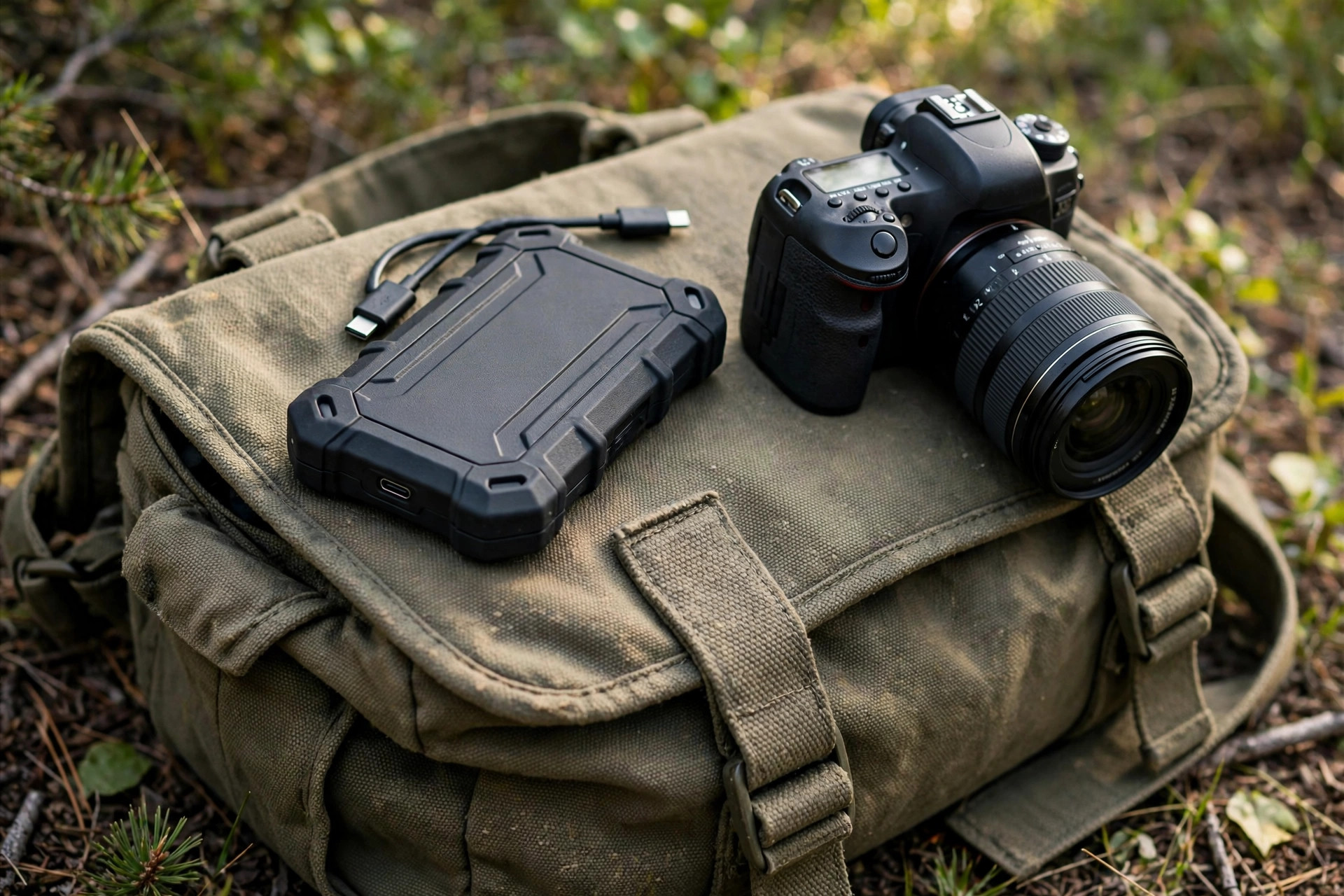
A single wedding shoot can produce 3,000 RAW files. A day of 8K video can fill 2TB before lunch. For photographers, external storage stopped being an accessory years ago — it is part of the camera system. The best external SSD for photographers in 2026 balances four things: sustained write speed that does not collapse during a long ingest, ruggedness that survives a camera bag, capacity that matches your shooting volume, and a price that makes sense in a year when flash storage is anything but cheap.
This guide cuts through the spec-sheet marketing. Rated speeds are measured in ideal conditions; photographers live in sustained transfers, dusty locations, and batteries running low. Here is what actually matters and which drives deliver it.
What photographers should actually look for
Sequential read speed gets the headlines, but sustained write speed decides whether your ingest finishes in twelve minutes or forty. Many compact drives advertise 1,000 MB/s or more yet throttle to half that after 50–100GB of continuous writing as the controller heats up. For photo work — ingesting a few hundred gigabytes at a time — a drive with honest sustained performance beats a drive with a flashy peak number.
Ruggedness is the second filter. Look for an IP55 rating or better (dust and water resistance) and a stated drop tolerance, typically 2–3 meters. Rubberized housings are not fashion; they are insurance. A drive that lives in a Pelican case has different needs than one bouncing around a backpack on a mountain trail.
Interface compatibility comes third. USB 3.2 Gen 2 (10 Gbps) remains the universal sweet spot — every modern laptop, from a MacBook Air to a mid-range Windows machine, supports it. USB4 and Thunderbolt 3/4 drives are dramatically faster but cost far more and only make sense if your computer has the port to match. Our USB4 portable SSD guide breaks down when the premium is worth paying.
The fourth filter buyers skip: data security. If you shoot paid work under NDA, use hardware-encrypted drives or OS-level full-disk encryption. A lost unencrypted drive with a client's unreleased product shots is a career problem, not a storage problem.
Speed classes, honestly explained
Portable SSDs fall into three practical tiers. The 1,000 MB/s class (USB 3.2 Gen 2) covers drives like the XS1000 and XS2000 — fast enough to ingest a full 128GB card in about two minutes, compact enough to forget in a pocket. This is where most photographers should shop.
The 2,000 MB/s class (USB 3.2 Gen 2x2) doubles the ceiling but comes with a catch: Apple never adopted the Gen 2x2 standard, so Mac users get Gen 2 speeds from these drives. On Windows and Linux workstations they fly. Check your computer's ports before paying for bandwidth you cannot use.
The 3,000–4,000 MB/s class (USB4/Thunderbolt) is the new frontier. Drives in this tier edit 8K ProRes directly from the external volume and ingest cards faster than most readers can feed them. They run hot, cost two to three times the 1,000 MB/s class, and demand USB4 or Thunderbolt ports. For hybrid photo-video shooters, they are transformative; for stills-only work, they are overkill.
Ingest benchmarks: minutes, not megabytes
Spec sheets quote megabytes per second; photographers live in minutes per card. One uncomfortable truth first: for card ingest, the reader is usually the bottleneck, not the SSD — a UHS-II SD reader caps around 300 MB/s regardless of the drive behind it. The SSD's speed matters most for drive-to-drive copies, backups, and editing directly from the volume.
| Workflow | Typical data | ~1,000 MB/s drive | ~2,000 MB/s drive | USB4 ~3,500 MB/s drive |
|---|---|---|---|---|
| Ingest one 128GB UHS-II SD card | ~120GB | ~7 min (reader-limited) | ~7 min (reader-limited) | ~7 min (reader-limited) |
| Ingest one 512GB CFexpress Type B card | ~480GB | ~8.5 min | ~5 min | ~5 min |
| Copy 1TB working set, drive to drive | 1TB | ~17 min | ~8.5 min | ~5 min |
| Offload a 2TB 8K shoot day | 2TB | ~34 min | ~17 min | ~10 min |
| Export 500 edited RAWs to the drive | ~40GB | ~45 sec | ~25 sec | ~15 sec |
The lesson: with SD cameras, upgrade the reader before the SSD. The 1,000-to-2,000 MB/s jump pays off in bulk copies and backups — unglamorous transfers whose saved minutes compound over a year of shoot days.
The 7 best external SSDs for photographers in 2026
| Drive | Interface / rated speed | Capacities | Ruggedness | Best for |
|---|---|---|---|---|
| XS2000 | USB 3.2 Gen 2, 2,000 MB/s | 500GB–4TB | IP55, compact metal body | Best all-rounder for stills |
| XS1000 | USB 3.2 Gen 2, 1,050 MB/s | 1TB–2TB | Compact, pocketable | Budget backup drive |
| USB4 portable SSD (40 Gbps) | USB4, up to 3,800 MB/s | 1TB–4TB | Aluminum, runs warm | 8K video editing |
| Rugged 2,000 MB/s pro drive | USB 3.2 Gen 2x2, 2,000 MB/s | 1TB–4TB | IP55, rubber bumper | Windows workstations |
| Thunderbolt 4 portable SSD | Thunderbolt 4, 3,000 MB/s | 1TB–2TB | Mil-spec drop rating | Mac studios, DIT carts |
| High-capacity 1,050 MB/s drive | USB 3.2 Gen 2, 1,050 MB/s | 4TB–8TB | Desktop-style, fanless | Archive and travel backup |
| Hardware-encrypted portable SSD | USB 3.2 Gen 2, 1,000 MB/s | 512GB–2TB | IP55, keypad/PIN | Client work, NDAs |
The XS2000 remains the default recommendation for stills photographers: 2,000 MB/s in a body smaller than a credit card, with honest sustained writes that hold up through full-card ingests. The side-by-side XS2000 vs XS1000 comparison shows exactly where the extra money goes — and for working pros, it goes to time saved at every ingest.
Video-heavy shooters should look at the USB4 tier instead. Editing compressed 4K directly from a 1,000 MB/s drive works; editing 8K RAW does not. The jump to 3,500+ MB/s turns the external drive from a shuttle into a working volume.
These picks weight sustained write consistency over peak speed, because photographers feel the second hour of a transfer, not the first ten seconds. No drive here is the fastest at its price — each is the most honest at its price, which matters more when a client's files are on the line.
How much capacity do you actually need?
Capacity planning starts with your file sizes. A 45MP RAW file runs 50–90MB; a wedding day lands between 150 and 300GB. A landscape photographer shooting brackets might generate 50GB a day. Video changes the math entirely: 4K ProRes 422 HQ consumes roughly 730GB per hour, and 8K RAW can exceed 2TB per hour.
The working rule: buy twice the storage of your largest single project. One copy is the working set, the second is the backup — because a portable SSD is not a backup until the data exists in two places. A 2TB drive suits most stills photographers; hybrid shooters should start at 4TB. If you are choosing between speed and capacity at the same price, capacity wins for photographers — a slow drive with room beats a fast drive that is full.
For a deeper framework on matching capacity to workload, see our portable SSD guide for creators, which covers the full creator workflow from ingest to archive.
High-volume shooters should pair the portable drive with a desktop archive or NAS — a 2TB portable for the field, 8TB+ at home. The portable drive is the shuttle; the NAS is the vault.
Sustained writes and thermal throttling: the spec nobody advertises
Nearly every compact SSD uses a pseudo-SLC cache that absorbs incoming writes at full speed — until it fills. After that, the drive drops to native write speeds, sometimes under 500 MB/s, while the controller throttles as heat builds. The rated speed on the box describes the cache phase; your 300GB ingest lives mostly in the phase after it.
This is why two drives with identical rated speeds feel different: a good controller and a metal body that doubles as a heatsink can sustain 1,200+ MB/s through a full-terabyte copy, while a cheaper drive with the same headline number sags to 400 MB/s halfway through. Reviewers expose this with sustained-write curves — hunt for those charts, because the peak number is measured in the first ten seconds.
Practical defenses are simple. Give the drive air — do not ingest with it buried under a laptop or baking in direct sun. Between large transfers, a minute of rest lets the controller cool and the cache partially recover. Keep 10–15% free space: nearly-full flash slows measurably because the controller has less free area for wear leveling. If you routinely move 500GB+ in one sitting, favor drives praised for sustained behavior over drives praised for peak numbers.
Ruggedness ratings, decoded
"Rugged" is marketing until a rating backs it. The two ratings that matter are IP codes (ingress protection against dust and water) and drop-test claims. An IP code has two digits: the first rates dust protection from 0 to 6, the second rates water from 0 to 9. For field work, the first digit matters most — fine dust kills more drives than rain does.
| Rating | Dust protection | Water protection | What it survives |
|---|---|---|---|
| IP54 | Limited dust ingress | Splashing water | Light rain, dusty bag |
| IP55 | Limited dust ingress | Water jets | Heavy rain, dusty trail |
| IP65 / IP66 | Dust-tight | Jets / powerful jets | Desert, downpour, pressure washer |
| IP67 | Dust-tight | 1m immersion, 30 min | Dropped in a puddle or stream |
| IP68 | Dust-tight | Deeper/longer immersion | Serious accidents, not diving |
Drop ratings deserve skepticism. "MIL-STD-810H tested" describes a test method, not a pass/fail grade — vendors choose which of its 29 test methods to run. A 3-meter drop claim to concrete means more than a vague "military-grade" badge. Remember the connector is the weak point: a USB-C port packed with grit fails long before the flash inside does, so use port covers on drives that live in camera bags.
2026 price tiers: what money actually buys
Flash prices in 2026 are elevated — NAND supply tightened through 2025. Street prices move with the market, but the tier structure is stable; expect 10–20% swings around sales events.
| Capacity | Value tier (~1,050 MB/s) | Mainstream (~2,000 MB/s) | Flagship (USB4) |
|---|---|---|---|
| 1TB | $90–130 | $140–180 | $220–300 |
| 2TB | $160–220 | $240–320 | $380–500 |
| 4TB | $300–420 | $450–600 | $700–950 |
| 8TB | $600–800 | $900–1,200 | Rare / custom builds |
The 2TB mainstream drive is the value sweet spot for most photographers in 2026: enough room for multi-day trips, the best dollars-per-gigabyte in the portable segment, and fast enough for everything short of 8K RAW editing. And skip used drives: SSDs wear invisibly, SMART data can be reset by unscrupulous sellers, and a photographer's archive is the worst place to gamble on remaining endurance.
The 3-2-1 backup workflow for shoot days
A portable SSD is not a backup — it is one copy. The 3-2-1 rule is the professional standard: three copies of your data, on two different media types, with one copy offsite. Here is how it translates to a wedding or travel shoot day.
On location: shoot to dual card slots when the body supports it — copies one and two. Ingest cards to the portable SSD at every natural break rather than once at midnight when you are exhausted. Do not format cards until the images exist in two other places.
Back at base: copy the SSD's contents to a desktop drive or NAS — copy three, media type two. Verify with checksums or at minimum a file-count comparison; a copy that was never verified is a hope, not a backup.
Offsite: upload selects or full galleries to cloud storage overnight. Even JPEG proofs offsite protect against theft or fire taking every local copy. When traveling, a second portable SSD in a separate bag counts as offsite in a practical sense.
The discipline matters more than the hardware. Most data-loss stories are formatted cards and stolen bags, not drive failures. Build the workflow into the shoot day and the SSD becomes what it should be: the fast, boring middle link in a chain that never breaks.
Cables, readers, and the boring stuff that matters
The fastest drive in the world is limited by its cable. Use the cable that ships with the drive — cheap third-party USB-C cables often silently negotiate USB 2.0 speeds, and you will blame the drive. For card readers, match the reader to your cards: a UHS-II reader for SD cards, CFexpress Type B readers for high-end mirrorless bodies. The ingest chain is only as fast as its slowest link, and that link is usually the reader, not the SSD.
Format the drive exFAT if you move between Mac and Windows, or APFS/NTFS if you live in one ecosystem. And keep 10–15% free space on any SSD: nearly-full flash slows down measurably and wears faster, because the controller has less free area for wear leveling and garbage collection.
Two unglamorous upgrades pay off: a powered USB hub for ingest stations (bus-powered readers and drives competing for a laptop's limited USB power cause mid-transfer disconnects, and a disconnect during a write is how corruption happens), and labeled cables — a 40 Gbps cable looks identical to a 480 Mbps charging cable.
Seven buying mistakes photographers keep making
1. Buying speed your ports cannot use. A USB4 drive on a 10 Gbps laptop is an expensive 10 Gbps drive. Match the drive to the computer first, the workload second.
2. Buying too little capacity. A full SSD is a slow SSD. The 2TB minimum for working pros exists for a reason.
3. Trusting the peak number. Rated speeds are ten-second burst figures. Read sustained-write reviews before buying for ingest-heavy work.
4. Skipping ruggedness to save $20. The price gap between a bare drive and an IP55-rated one is a rounding error against a reshoot.
5. Treating one drive as a backup. If the files exist in exactly one place, you have a single point of failure wearing a metal jacket.
6. Using random cables. The cable is part of the drive — keep the bundled one and carry a spare.
7. Ignoring encryption for client work. A lost drive with unencrypted client files is a legal and reputational event. Hardware encryption or OS-level full-disk encryption closes the hole for almost no performance cost.
Who it's for / who should skip it
Buy a photographer-grade portable SSD if: you shoot paid work and ingest cards in the field; you work with 4K/8K video; you need rugged, pocketable storage for travel; or your current hard drive makes you wait.
Skip it if: you shoot casually and transfer a few dozen JPEGs a week — a basic flash drive suffices; you only ever work at a desk — an internal NVMe or desktop external drive gives more terabytes per dollar; or your computer lacks USB-C — fix the port situation first, because no drive can outrun a USB-A bottleneck.
FAQ
Is 1,000 MB/s fast enough for photo editing?
Yes, comfortably. Lightroom and Capture One catalogs, 50MP RAW files, and 4K timelines play smoothly from a 1,000 MB/s drive. You only need more for high-bitrate 8K, uncompressed RAW video, or ingesting multiple cards at once.
Do I need a rugged SSD, or is any portable SSD fine?
If the drive ever leaves your desk, buy rugged. Dust, rain, and drops are the three killers of portable storage, and an IP55-rated drive costs only slightly more than a bare one.
Why does my SSD slow down during large transfers?
Most compact drives use a fast SLC cache for the first 50–150GB, then drop to native write speeds — sometimes under 500 MB/s — as heat builds. Drives with better controllers and thermal design sustain higher speeds; rated speeds are burst numbers, sustained speeds are what photographers feel.
Should photographers buy USB4 drives in 2026?
Only if your computer has USB4 or Thunderbolt ports and you edit video. For stills, USB4's bandwidth sits idle — the card reader is the bottleneck — and USB4 drives cost 2–3x more per terabyte.
Does the card reader matter more than the SSD?
For ingest, usually yes. A UHS-II SD reader caps around 300 MB/s, so even a modest SSD waits on it — replace an old reader before replacing the SSD. The SSD's speed advantage shows up in backups, drive-to-drive copies, and editing: everything after the cards are ingested.
exFAT or APFS for a drive shared between Mac and Windows?
exFAT is the only practical choice for cross-platform drives — both operating systems read and write it natively. The trade-off is no journaling, so eject properly; exFAT is less forgiving of surprise disconnects. If you live entirely on Mac, APFS is faster and more resilient; entirely on Windows, NTFS.
Can I edit directly from the SSD, or should I copy to internal storage first?
For stills, edit directly — Lightroom and Capture One are perfectly happy with catalogs and RAWs on a 1,000 MB/s external drive, and keeping the working set portable means your edit station follows you. For 8K RAW video or heavy multicam timelines, use a USB4-class drive as the working volume or copy the project to internal NVMe first.
How do I verify a backup actually worked?
At minimum, compare file counts and total size between source and destination. Better: use ingest software with checksum verification, which most sync tools do by default. For irreplaceable shoots, spot-open a dozen random RAW files from the backup copy — a copy that opens is a copy that exists.
How long do portable SSDs last?
For typical photo workloads, many years — often a decade. Endurance is measured in terabytes written (TBW); a 2TB drive rated at 600 TBW survives 300 full rewrites, so a photographer writing 500GB a week would take over 20 years to hit it. The drive becomes obsolete long before it wears out.
The right external SSD disappears into your workflow: cards ingest while you pack up, backups happen without thinking, and you never wait on a progress bar. In 2026, that means a 2TB-class drive at 1,000–2,000 MB/s with real ruggedness for stills, or a USB4 drive for video. Buy once, buy right.