Best RAM for Ryzen 9000 and Intel Arrow Lake Builds
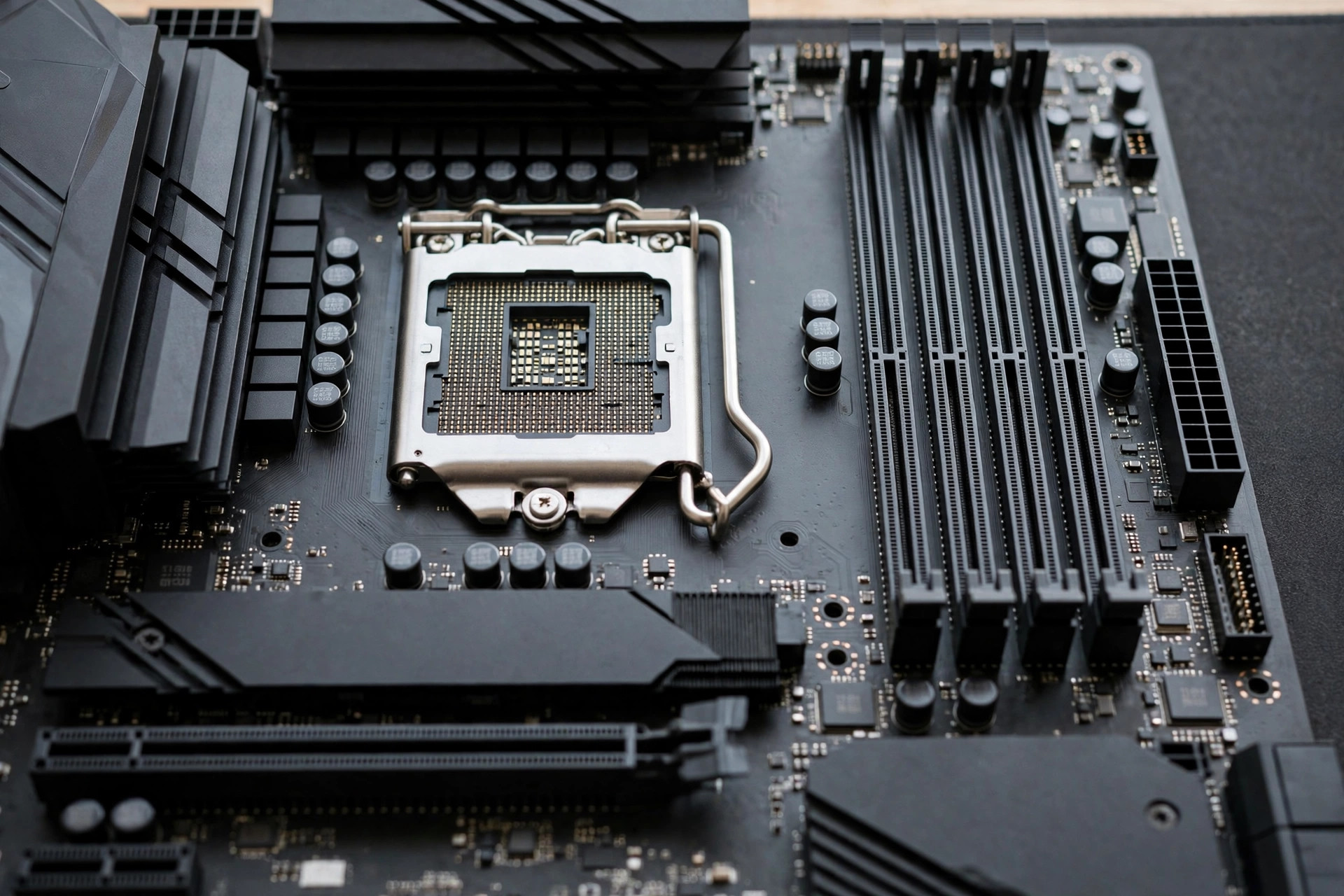
AMD's Ryzen 9000 series and Intel's Arrow Lake (Core Ultra 200) represent the two mature DDR5 platforms of 2026, and they do not want the same memory. Ryzen 9000 rewards a specific frequency window tied to its memory controller ratios; Arrow Lake scales further with raw bandwidth and tolerates higher speeds. Buy the wrong kit and you leave performance — or money — on the table. This guide covers the best RAM for Ryzen 9000 and Intel Arrow Lake builds: the speed targets, latency sweet spots, and capacity picks that make sense in today's expensive memory market.
Ryzen 9000: the 6000 MT/s sweet spot
Ryzen 9000's memory controller (like the 7000 series before it) runs most efficiently when the memory clock and controller clock stay in a 1:1 ratio — and that ratio holds up to roughly DDR5-6000 to DDR5-6400 on typical chips. Push past it and the controller drops to a 1:2 ratio, adding latency that cancels out the frequency gain. This is why DDR5-6000 CL30 remains the canonical Ryzen recommendation: it is the fastest configuration that stays in the efficient ratio on virtually every chip.
For Ryzen 9000 specifically, buy an EXPO-rated DDR5-6000 CL30 kit (2×16GB for 32GB gaming builds, 2×32GB for 64GB workstation builds). EXPO profiles are validated against AMD's controller behavior, so enablement is one click with no tuning required. DDR5-6400 CL32 kits are a reasonable alternative if priced within 10–15 percent — most Ryzen 9000 chips hold 1:1 at 6400 — but verify against your motherboard's QVL, since controller quality varies by sample.
How Ryzen's memory ratios actually work: UCLK, MCLK and FCLK
Three clocks govern Ryzen's memory subsystem, and their relationship decides how much rated speed becomes real performance. MCLK is the memory clock — 3000 MHz for DDR5-6000, since DDR moves data twice per clock. UCLK drives the memory controller, and FCLK drives the Infinity Fabric linking the CPU chiplets. Efficiency peaks when MCLK and UCLK hold a 1:1 ratio: every memory tick is matched by a controller tick, with no added delay.
On most Ryzen 9000 chips, 1:1 holds to about 3000 MHz MCLK — DDR5-6000, or DDR5-6400 on a strong sample. Past that, the BIOS silently falls back to a 1:2 ratio, halving UCLK. A DDR5-7200 kit at 1:2 runs its controller at 1800 MHz, adding roughly 10 nanoseconds of latency — usually erasing the frequency advantage entirely. That is why DDR5-6000 CL30 at 1:1 routinely beats DDR5-7200 CL34 at 1:2 in gaming tests.
Check your ratio with ZenTimings, a free utility showing MCLK, UCLK, and FCLK side by side (HWiNFO64 reports the same). UCLK equal to MCLK means 1:1; half means 1:2. If your board offers "UCLK DIV1 MODE" or "UCLK = MEMCLK", forcing 1:1 at DDR5-6400 is worth trying on a good chip — if it will not boot, DDR5-6000 is the honest ceiling. FCLK settles near 2000 MHz on its own and needs no attention.
Intel Arrow Lake: bandwidth scales further
Arrow Lake's memory controller is more forgiving at high frequencies. Intel's platform benefits from memory speeds up to DDR5-6400 through DDR5-6800 in Gear 2 mode, with measurable gains in gaming and especially in bandwidth-hungry workstation tasks. Unlike Ryzen, there is no sharp ratio cliff — performance scales more linearly, so buying a faster kit actually buys more performance.
For Arrow Lake, the value pick is a XMP-rated DDR5-6400 CL32 kit. The price premium over 6000-tier kits buys real, if modest, gains on Intel — typically 2–4 percent in CPU-bound gaming and more in compression, encoding, and simulation workloads. Enthusiasts can consider DDR5-6800+ kits, but the price curve steepens hard in 2026's market, and our analysis of extreme DDR5 speeds shows how quickly diminishing returns set in.
Intel Gear 2 and Gear 4 explained
Intel's "gears" are the same ratio concept with different branding: the gear is the ratio of the memory controller clock to the memory clock. Gear 1 runs the controller at full memory speed (1:1), Gear 2 at half speed (1:2), and Gear 4 at quarter speed (1:4). Higher gears let the memory clock reach frequencies the controller could never match — at the cost of added latency on every transaction.
On Arrow Lake with DDR5, Gear 1 is effectively off the table: the controller cannot sustain 1:1 at realistic DDR5 frequencies, and forcing it typically fails to boot above DDR5-4800. Gear 2 is the default working mode for everything from DDR5-5600 to roughly DDR5-6800, and your kit's XMP profile sets it automatically. At DDR5-6400 in Gear 2 the controller runs at 1600 MHz — which is why Intel's latency figures look higher than Ryzen's 1:1 numbers while real performance stays competitive: the extra bandwidth compensates.
Gear 4 is for extreme kits at DDR5-8000 and above, where the controller drops to a quarter of the memory clock to stay stable. Each transaction now waits longer at the controller — one reason ultra-high-speed kits lose to mid-tier kits in latency-sensitive games. The rule: 5200–6800 MT/s belongs in Gear 2, 8000+ in Gear 4, and you should never set this manually unless tuning past XMP.
| Platform | Ideal speed | Target latency | Profile | Capacity pick |
|---|---|---|---|---|
| Ryzen 9000 (gaming) | DDR5-6000 | CL30 | EXPO | 32GB (2×16GB) |
| Ryzen 9000 (workstation) | DDR5-6000 | CL30 | EXPO | 64GB (2×32GB) |
| Arrow Lake (gaming) | DDR5-6400 | CL32 | XMP | 32GB (2×16GB) |
| Arrow Lake (workstation) | DDR5-6400–6800 | CL32–CL34 | XMP | 64GB (2×32GB) |
| Either (budget) | DDR5-5600–6000 | CL36 or better | Either | 32GB (2×16GB) |
Latency targets: the numbers that matter
Frequency gets the marketing, but true latency in nanoseconds is the spec that predicts responsiveness. Calculate it as (CL ÷ MHz) × 2000. The targets worth paying for in 2026:
10 ns or better (e.g., DDR5-6000 CL30, DDR5-6400 CL32) — the enthusiast tier; buy this when the premium is modest. 10–11.5 ns (DDR5-6000 CL32/36, DDR5-6400 CL36) — the mainstream performance tier; perfectly good for gaming. Above 12 ns (DDR5-6400 CL40 and looser) — skip; the latency erases the frequency advantage, and you are paying for a bigger number on the box. If you are weighing generations rather than kits, our DDR5 vs DDR4 comparison for 2026 puts these numbers in platform context.
The QVL: the step everyone skips
Every motherboard manufacturer publishes a QVL (Qualified Vendor List) — the exact memory kits tested stable on that board, often at the CPU level. In the DDR4 era, buying off-QVL was usually fine. In the DDR5 era, with its tighter signal margins and platform-specific ratio behavior, the QVL matters more than it used to — especially for Ryzen 9000 at 6400 MT/s and Arrow Lake above 6400.
The practical workflow: pick your board, open its support page, filter the QVL by your target speed, and buy a kit that appears for your CPU generation. This does not guarantee perfection — BIOS updates continuously expand compatibility — but it converts memory buying from a gamble into a validated choice. If your dream kit is not on the list, check whether a kit with identical chips is; memory makers often validate one SKU per chip batch. And keep your BIOS updated: AGESA and Intel microcode updates have repeatedly unlocked higher stable memory speeds months after boards launched.
Capacity: 32GB is the new default
For gaming builds on either platform, 32GB (2×16GB) is the sensible default in 2026 — 16GB is now the minimum, workable but not comfortable with modern background loads. For workstations, content creation, development, or local AI experimentation, 64GB (2×32GB) is the professional baseline. Always buy two DIMMs, not four: dual-DIMM configs run at higher stable speeds, cost less per gigabyte, and leave upgrade slots open.
One caution specific to this market: with DRAM prices elevated, the jump from 32GB to 64GB is the most expensive single decision in many builds. Size for the work you actually do — our guide to how much RAM you need in 2026 walks through the workload-by-workload math, including why capacity beats speed once your workload fits in memory.
Two DIMMs vs four DIMMs: the stability reality
Every speed on a memory box was validated with two DIMMs — one per channel — the same configuration the XMP/EXPO profile was tuned for and the QVL describes. Populate all four slots and the electrical load on the memory bus doubles; signal margins shrink, and the controller works harder to keep everything synchronized.
The practical consequence: a kit rated DDR5-6400 with two DIMMs may only hold DDR5-5600–6000 with four on Ryzen 9000, and Arrow Lake typically surrenders 200–400 MT/s as well. Four-DIMM configurations at DDR5-6800+ are the single most common cause of "XMP won't boot" support threads. Most consumer boards also use daisy-chain routing, optimized for the two primary slots (A2 and B2). True T-topology boards, which treat all four slots equally, are rare and usually aimed at overclockers.
The buying rules follow directly. Install two DIMMs in A2/B2, never in A1/B1. If you need 128GB, buy a 2×64GB kit, not two 2×32GB kits — a factory-matched high-density pair is validated as a pair, while two separately purchased kits may use different memory chips entirely. And never mix kits, even identical SKUs: manufacturers quietly change chip suppliers between production runs, and a "matching" kit bought months later can be a different die that rejects the first kit's timings.
Memory chips and overclocking headroom
The chip under the heatsink matters more than the brand on the box. The two dies you will meet most in performance kits both come from SK hynix: M-die and A-die. M-die is the mainstream workhorse: tight timings at DDR5-6000 (CL30 EXPO kits are overwhelmingly M-die), but frequency headroom ends around 6400–6800 MT/s. A-die is the overclocker's die: looser at stock, but it scales to DDR5-7000+ with voltage, and nearly every 6800+ retail kit uses it. Micron's 16 Gb die dominates value-tier JEDEC kits, where timings are loose by design.
Thaiphoon Burner reads the SPD EEPROM and often names the die directly; failing that, community databases map serial and version codes to dies (Corsair's label version number is the classic example). Rule of thumb: DDR5-6000 CL30 EXPO means M-die, DDR5-6400 CL32 and above usually means A-die, and DDR5-5600 CL46 value kits use whatever was cheapest that quarter.
On Ryzen 9000, expect tightening a 6000 CL30 M-die kit to CL28, or pushing good A-die to DDR5-6400 at 1:1 with 1.35–1.45 V. On Arrow Lake, A-die kits commonly reach DDR5-6800–7200 in Gear 2. Expect 3–7 percent for hours of stability testing — memory tuning has the worst time-to-performance ratio of any tweak. Voltage note: DDR5 stock is 1.1 V and performance kits run 1.25–1.45 V by design; anything past 1.45 V wants active airflow over the DIMMs, not a closed case.
Kit recommendations by budget tier
Three tiers cover nearly every build.
Budget — DDR5-5600–6000 CL36 with your platform's profile. Roughly 2–4 percent behind the sweet spot in gaming, invisible when GPU-bound, and often far cheaper. At this tier, a QVL-listed kit beats a faster off-list kit.
Sweet spot — DDR5-6000 CL30 EXPO (Ryzen 9000) or DDR5-6400 CL32 XMP (Arrow Lake), 2×16GB for gaming or 2×32GB for workstations. Validated one-click profiles, the best performance per dollar, stable without hand-tuning.
Enthusiast — DDR5-6400 CL32 EXPO for Ryzen (QVL-confirmed) or DDR5-6800 CL34 XMP for Arrow Lake. Buy only when the premium is modest or the workload is bandwidth-bound: encoding, compression, simulation, and large compiles are where the extra megatransfers pay off.
| Platform | Tier | Speed | Latency | Profile | Best for |
|---|---|---|---|---|---|
| Ryzen 9000 | Budget | DDR5-5600–6000 | CL36 | EXPO | GPU-bound gaming, tight budgets |
| Ryzen 9000 | Sweet spot | DDR5-6000 | CL30 | EXPO | Most gaming and creator builds |
| Ryzen 9000 | Enthusiast | DDR5-6400 | CL32 | EXPO | Tuned builds, QVL-confirmed boards |
| Arrow Lake | Budget | DDR5-6000 | CL36 | XMP | Value gaming builds |
| Arrow Lake | Sweet spot | DDR5-6400 | CL32 | XMP | Gaming and workstation default |
| Arrow Lake | Enthusiast | DDR5-6800 | CL34 | XMP | Encoding, sims, bandwidth workloads |
Before buying, check four things on the box: the EXPO or XMP logo matching your platform, rated voltage (1.35 V or lower is kinder to the controller), heatsink height versus CPU cooler clearance, and a lifetime warranty — standard on performance memory and a useful quality signal when missing.
Common buying mistakes
Buying DDR5-6400 CL40 for Ryzen. At 12.5 ns true latency it is slower than DDR5-6000 CL30 in practice, and many samples will not hold 1:1 at 6400 anyway. You pay more for a bigger number and get less.
Ignoring the EXPO/XMP platform match. An EXPO kit on an Intel board typically boots at JEDEC DDR5-4800 because the board cannot parse the profile. Match the logo to the platform or buy a dual-profile kit — XMP kits work fine on AMD boards, so XMP is the safer cross-platform bet.
Chasing DDR5-8000+ for gaming. These kits cost two to three times the sweet-spot tier and deliver 1–2 percent in games that are not bandwidth-bound — which is nearly all of them. Put the money toward the GPU or more capacity.
Cheaping out on heatsinks for workstation loads. Bare sticks are fine for gaming bursts, but sustained rendering or compiling pushes DDR5 ICs toward thermal throttling — especially in compact cases. A real heatsink is cheap insurance on a workstation.
Buying four DIMMs to fill the slots. It looks complete and runs slower: expect a 400–800 MT/s stability penalty versus two DIMMs. Buy the capacity you need in two DIMMs.
Paying for speed before fixing capacity. If the workload does not fit in memory, no frequency helps — the system pages to the SSD and everything stalls. A 64GB DDR5-5600 kit beats a 32GB DDR5-6800 kit for any workload that genuinely needs 40GB.
What about CAMM2 and the future?
Both platforms still use standard DIMM slots for desktop builds, and that is not changing imminently — CAMM2 is a laptop and compact-system story for now. Do not delay a desktop build waiting for a new form factor; DDR5 DIMMs bought today will serve the full useful life of a Ryzen 9000 or Arrow Lake system.
A final note on thermals: DDR5 runs warmer than DDR4, and sustained workstation loads benefit from kits with real heatsinks rather than bare sticks — especially in compact cases where airflow over the memory area is limited. It is a small line item that protects a large investment.
Who it's for / who should skip it
These recommendations are for you if: you are building new on AM5 with Ryzen 9000 or on LGA1851 with Arrow Lake; you want the validated one-click EXPO/XMP experience with no manual tuning; or you are upgrading an existing DDR5 board and want the kit most likely to run at rated speed.
Skip the premium tiers if: you game at 4K (GPU-bound — memory tier is nearly irrelevant); you are on a tight budget in the current price environment (a DDR5-5600/6000 CL36 kit at a good price beats an expensive CL30 kit you cannot afford); or you are still on DDR4 — a platform upgrade decision should come before a memory-speed decision, and a generational comparison will tell you whether the jump is worth it at all.
FAQ
What is the best RAM speed for Ryzen 9000?
DDR5-6000 CL30 with EXPO. It is the fastest speed that stays in the efficient 1:1 memory-controller ratio on virtually all Ryzen 9000 chips. DDR5-6400 CL32 is a fine alternative if the price gap is small and your board's QVL confirms support.
What is the best RAM speed for Intel Arrow Lake?
DDR5-6400 CL32 with XMP. Arrow Lake's controller scales well into the 6400–6800 MT/s range in Gear 2, so the faster tier buys real gains on Intel — unlike Ryzen, where the ratio cliff caps the useful range.
Can I use an EXPO kit on Intel or XMP kit on AMD?
XMP kits work on AMD boards in the vast majority of cases. EXPO kits on Intel boards generally do not — Intel boards usually cannot parse EXPO profiles, leaving the kit at JEDEC speeds. Match the profile to your platform, or buy a dual-profile kit.
Is 32GB enough for gaming in 2026?
Yes — 32GB is the comfortable gaming standard in 2026, with headroom for Discord, browsers, and streaming software alongside the game. 16GB remains workable but is now the minimum, not the target.
Should I buy DDR5-6800 or faster for future-proofing?
Generally no. The price premium for 6800+ kits in 2026 is steep relative to the 1–3 percent gains over the sweet-spot tiers, and "future-proofing" memory speed rarely pays off — by the time software needs more bandwidth, the platform has usually moved on.
How do I check whether my Ryzen is running the 1:1 memory ratio?
Use ZenTimings or HWiNFO64's memory section and compare UCLK to MCLK: equal means 1:1, half means 1:2. If you see 1:2 at DDR5-6000, the EXPO profile may be off — enable it and look for a "UCLK DIV1" or "UCLK = MEMCLK" BIOS setting.
What is the difference between Intel Gear 2 and Gear 4?
Both are the ratio of the memory controller clock to the memory clock: Gear 2 runs the controller at half speed, Gear 4 at quarter speed. Gear 2 covers DDR5-5600 through ~DDR5-6800 and is set automatically by your XMP kit; Gear 4 is for DDR5-8000+ kits. Never set this by hand.
Can I run four DDR5 DIMMs at the full XMP/EXPO speed?
Usually not. Rated speeds assume two DIMMs; with four, expect to drop 400–800 MT/s for stability — more on Ryzen than on Intel. If you need high capacity, a 2×32GB or 2×48GB kit runs faster and more reliably than 4×16GB or 4×24GB.
Is manual DDR5 overclocking worth it in 2026?
For most builders, no. A validated EXPO/XMP profile captures ~95 percent of available performance with one click; manual tuning adds 3–7 percent at the cost of hours of stability testing. Tune memory only after CPU and GPU are settled — and only if you enjoy it.