U.2 vs EDSFF E3.S: Enterprise SSD Form Factors Explained
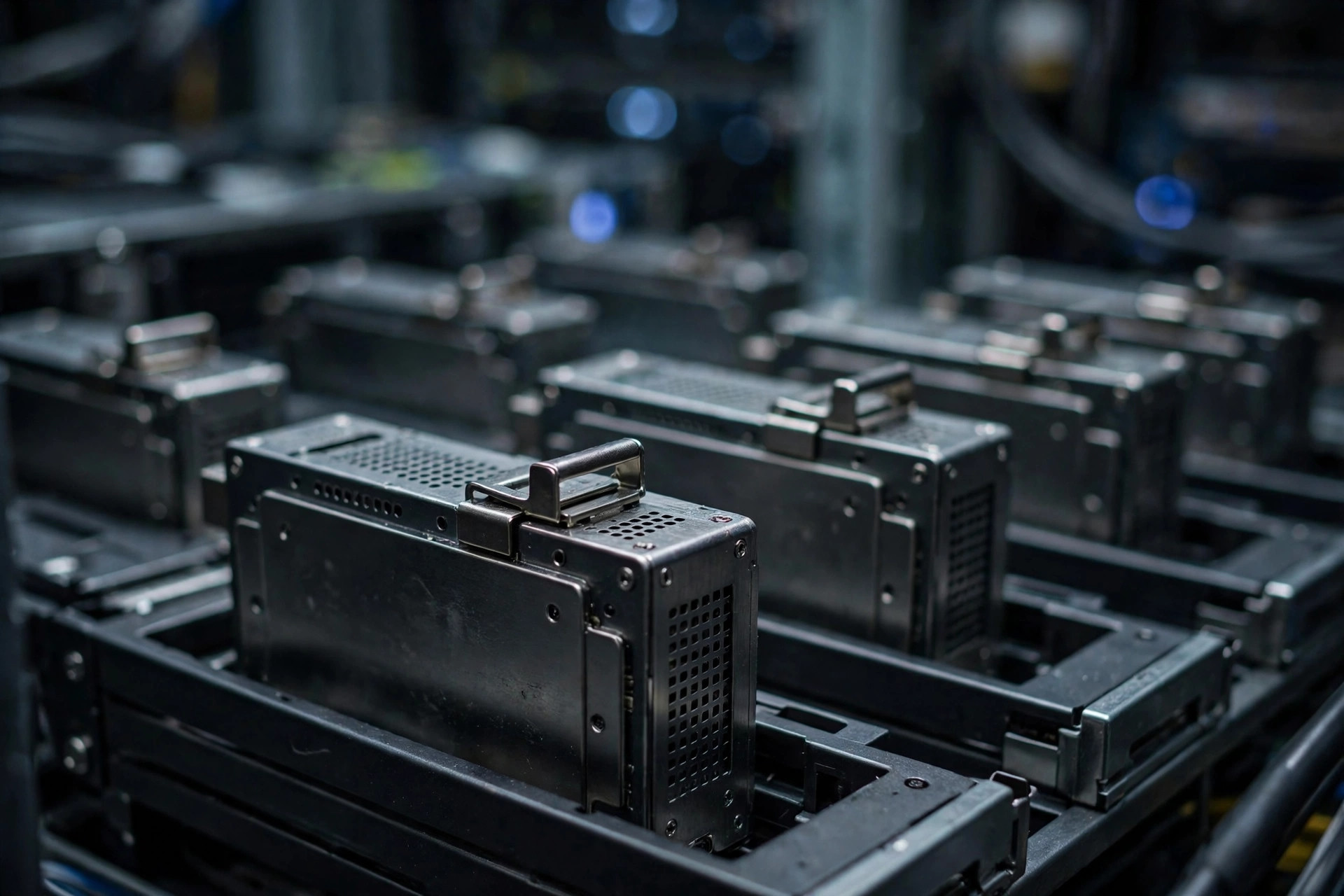
Enterprise SSDs like the DC3000ME ship in U.2, but the industry is steadily shifting toward EDSFF E3.S. If you spec servers, the U.2 vs EDSFF question will land on your desk sooner or later — here is what the two form factors mean in practice, and how to choose without regret.
Form factors are easy to dismiss as packaging trivia. They are not. The connector and enclosure determine power delivery, cooling airflow, serviceability, and how many terabytes fit in a rack unit — all of which feed directly into total cost of ownership. In the Gen5 era, the form factor is part of the performance envelope.
U.2: the incumbent
U.2 (2.5-inch, 15mm) has been the data-center workhorse for a decade. It is hot-swappable, widely supported across server platforms, and available from every enterprise SSD vendor. Its weakness is density and thermals: the 2.5-inch brick was designed for an earlier era of power envelopes.
The strengths that keep U.2 dominant are operational, not theoretical. Every major server vendor's drive carriers, backplanes, and hot-swap bays speak U.2. Technicians know the failure procedures by heart. Spares are interchangeable across vendors. Hot-swap matters beyond convenience: when a drive fails in a RAID set, a technician can pull and replace it without downtime while the array rebuilds from parity — the enterprise alternative to hoping data recovery saves you after the fact. And the ecosystem keeps investing: flagship Gen5 drives like the DC3000ME launch in U.2 first, pushing 14,000MB/s and 30.72TB through the familiar connector — proof that the format still has headroom.
The limits are physical. The 2.5-inch enclosure constrains airflow around the drive, and its power delivery was designed when 25W was a lot for an SSD. Gen5 controllers can exceed that under load, which forces thermal throttling in dense chassis or demands aggressive (loud, power-hungry) fan curves. U.2 works at Gen5 speeds — but the cooling bill is real.
E3.S: built for Gen5 and beyond
EDSFF E3.S is a ruler-style form factor designed around modern realities — higher power (up to 70W in E3.S 2T), better airflow paths, and more flash per rack unit. As PCIe 5.0 drives push past 14,000MB/s, the thermal headroom of EDSFF becomes a genuine advantage, not just a spec-sheet win.
The "ruler" nickname describes the shape: a long, thin module that mounts vertically, front-to-back, so cooling air flows along its full length. Compare that to a 2.5-inch brick sitting perpendicular to airflow, and the thermal advantage is intuitive — the drive's hot components sit directly in the airstream instead of behind a wall of neighboring drives. In a 1U chassis packed with 32 E3.S modules, per-drive cooling is dramatically more efficient than 24 U.2 bricks in 2U.
E3.S comes in thickness variants — 1T (single-width) and 2T (double-width) — with the 2T variant unlocking the higher power envelope and larger NAND packages for maximum capacity. Both are hot-swappable from the front of the chassis, preserving the serviceability model operators expect.
The rest of the EDSFF family
E3.S is the headline act, but EDSFF is a family, and knowing the siblings prevents confusion in vendor spec sheets:
- E3.S / E3.L: the "short" and "long" ruler formats for front-access bays. E3.L is the longer variant for maximum capacity in storage-dense nodes.
- E1.S / E1.L: an even thinner ruler format aimed at hyperscale density — more drives per rack unit, at the cost of per-drive power and capacity. This is the format behind many hyperscalers' custom storage sleds.
- M.2 (with carriers): not EDSFF, but relevant — many servers boot from M.2 on carrier cards, and EDSFF backplanes increasingly include M.2-style boot options. For dedicated boot duties, purpose-built drives like the DC2000B boot SSD remain the U.2 hot-swap answer.
The family shares connectors and management interfaces, which is the strategic point: EDSFF is designed as a coherent ecosystem, where U.2 was a single form factor that the industry stretched for a decade.
U.2 vs EDSFF: head to head
| Attribute | U.2 (2.5", 15mm) | EDSFF E3.S |
|---|---|---|
| Form | 2.5-inch brick | Ruler-style module (1T/2T) |
| Max drive power | ~25W (practical) | Up to 70W (E3.S 2T) |
| Hot-swap | Yes, front bays | Yes, front bays |
| Airflow | Perpendicular; constrained | Front-to-back; efficient |
| Density per rack unit | Good (24× 2U typical) | Better (32× 1U typical) |
| Platform support | Universal | Growing; check chassis |
| Gen5 thermals | Workable with strong cooling | Designed for it |
| Operational maturity | Decade of playbooks | Newer; hyperscaler-proven |
The table flatters EDSFF on physics and U.2 on practicality, which is exactly the real-world trade. Neither row decides the purchase alone — your chassis inventory does.
What to spec in 2026
For existing fleets, U.2 remains the safe choice — your backplanes, carriers and operational playbooks already support it, and drives like the DC3000ME deliver Gen5 speeds in the familiar format. For new deployments with a multi-year horizon, E3.S is where the industry is heading; major hyperscalers have already standardized on it.
A practical decision framework:
- Expanding an existing fleet? Buy U.2. Mixed form factors in one fleet mean split spares, split procedures, and confused technicians at 3 AM.
- New cluster, 3–5 year life? Price E3.S chassis seriously. The thermal and density advantages compound over the cluster's life, and Gen6 drives will favor EDSFF power envelopes. Whatever you spec, plan the redundancy layer too — our NVMe RAID setup guide covers mirroring and striping trade-offs.
- Boot drives? Keep them boring and hot-swappable — a mirrored U.2 boot pair is the conservative answer regardless of what the data tier uses.
- Evaluating a vendor's roadmap? Ask whether their flagship capacities launch in both formats. Dual-format launches signal the vendor expects U.2 volume for years.
Once the form factor is settled, the more consequential choice is the endurance class for your workload — the SSD endurance and DWPD explainer covers how to spec that correctly, because the connector matters less than the NAND inside.
The transition reality
Form-factor transitions in the data center take years. U.2 will be shipping in volume well into the late 2020s, and vendors continue launching flagship drives in both formats. There is no wrong answer — only the answer that matches your chassis. On the performance side, our Gen4 vs Gen5 real-world comparison shows what newer interfaces deliver outside benchmarks.
History is instructive: the 3.5-inch to 2.5-inch transition took the better part of a decade, and SAS to NVMe coexistence lasted even longer. Data centers depreciate hardware over 3–5 years and refresh in waves, so any new form factor coexists with the incumbent for at least two full refresh cycles. EDSFF adoption is real and accelerating — but U.2's installed base guarantees it a long, well-supported sunset.
FAQ
Can I mix U.2 and EDSFF drives in one server?
Generally no within the same backplane — they use different bays, carriers, and backplane wiring. Some chassis offer split configurations (e.g., E3.S data bays plus M.2 boot), but plan on one form factor per drive tier per server.
Is EDSFF faster than U.2?
Not inherently — speed comes from the PCIe generation and controller, and Gen5 U.2 drives match Gen5 EDSFF drives on paper. EDSFF's advantage is sustaining that speed under load thanks to better thermals and power delivery, plus higher density per rack unit.
Do EDSFF drives cost more?
At the drive level, pricing is comparable for equivalent capacity and endurance class. The cost difference shows up at the system level: EDSFF chassis and backplanes are newer and sometimes pricier, offset by density and cooling savings over the deployment's life.
What about E1.S vs E3.S?
E1.S is thinner and denser — the hyperscale choice for maximum drives per rack. E3.S offers more per-drive power and capacity, making it the better fit for enterprise and mixed-workload servers. Most enterprise buyers choosing EDSFF will land on E3.S.
Will my U.2 investment be stranded?
No. U.2 drives launching today carry five-year warranties, vendors are still releasing U.2 flagships, and the secondary market for U.2 infrastructure is enormous. Buy U.2 with confidence for current fleets; just don't build a brand-new 2026 data hall around it without pricing the EDSFF alternative.
Bottom line: U.2 for continuity, E3.S for greenfield. Either way, buy the endurance class your workload needs — the connector matters less than the NAND inside. In 2026 the smartest spec is the one your operations team can service at 3 AM without a manual.