The Boot Drive Your Servers Deserve: DC2000B
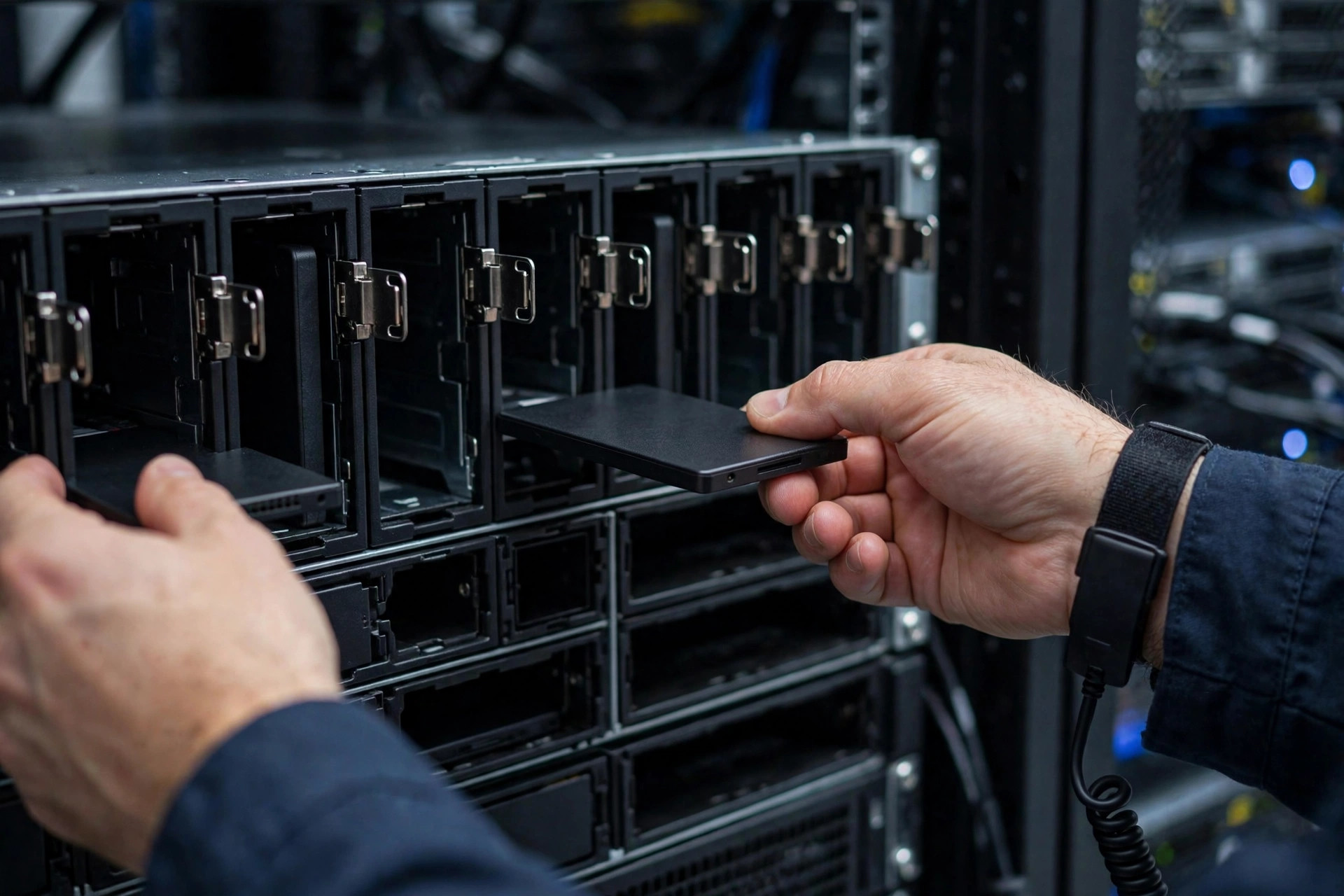
Nobody benchmarks boot drives, which is exactly why they fail at the worst moment. The DC2000B is purpose-built for the job most data centers underthink: booting the server. And if you are shopping for the best boot drive for server deployments in 2026, the criteria are almost the inverse of what wins desktop SSD roundups — reliability first, speed a distant second.
Why a dedicated boot drive
Mixing the OS with data volumes on the same array couples two failure domains. A dedicated boot pair — typically two small drives in RAID 1 — isolates the operating system, simplifies reimaging, and keeps a dying data drive from taking the hypervisor with it. It is cheap insurance measured against the cost of downtime.
The failure-domain argument deserves emphasis because it is the whole point. When the OS shares spindles (or NAND) with data volumes, every problem becomes every problem: a data-tier issue that fills the array can starve the OS of space and crash the host; a filesystem corruption event can take both; and maintenance on one requires downtime for both. Separation means the hypervisor boots identically whether the data tier is healthy, degraded, or being rebuilt — which is exactly the property you want during the incidents when clear thinking is scarcest.
There is an operational dividend too. A standardized boot pair across the fleet means one golden image, one reimaging procedure, and interchangeable spares. When every server boots from the same mirrored pair, provisioning a replacement node is a solved problem rather than a snowflake.
What makes the best boot drive for server use
Boot drives do not need 14,000MB/s. They need: power-loss protection so an outage does not corrupt the filesystem, consistent low-latency random reads for fast boots, high endurance relative to their size (small drives wear faster per gigabyte written), and a 5-year enterprise warranty. The DC2000B checks these boxes at capacities (240GB–960GB) sized for the job rather than for bragging rights.
Unpacking each requirement:
- Power-loss protection: the single most important boot-drive feature. An OS filesystem with in-flight writes during a power event is a corruption lottery; onboard capacitors let the drive complete those writes. Consumer drives lack this entirely.
- Consistent random-read latency: booting is thousands of small random reads. A drive with excellent 4K random-read consistency boots faster than a "faster" drive with spiky latency — and stays responsive when the hypervisor pages under load.
- Endurance relative to size: a 240GB boot drive absorbing the same logging and swap writes as a larger drive wears proportionally faster per gigabyte. Our SSD endurance and DWPD explainer covers the math — the short version is that small drives need proportionally higher DWPD ratings to survive the same workload.
- Enterprise firmware validation: boot drives must behave identically across thousands of power cycles and firmware revisions. Enterprise validation matrices test exactly this; consumer firmware is validated against desktops, not data centers.
- Right-sized capacity: 240GB–960GB covers any hypervisor or OS install with room for logs and updates. Larger is not better here — it is just a bigger failure domain and wasted spend.
RAID 1: the standard boot configuration
The industry-standard boot layout is two identical drives in RAID 1 (mirroring), and the reasons are practical rather than theoretical. If one boot drive fails, the server keeps running on the survivor — no outage, no 3 AM page, just a degraded-array alert and a hot-swap at a civilized hour. Rebuild the mirror onto a fresh drive and the pair is whole again.
A few configuration notes that operators learn the hard way: use hardware RAID or the platform's integrated controller (Intel VROC, PERC, or equivalent) rather than OS-level mirroring where possible, so the mirror survives even OS corruption; keep a cold spare of the exact boot drive model on the shelf — boot pairs should be identical down to the firmware; and test the degraded-boot path at least once per hardware generation, because discovering your platform cannot boot from the secondary mirror during an actual failure is a career-limiting event.
Maintain a current boot image as well. A mirrored pair protects against drive failure, not against a corrupted update or ransomware. A tested golden image — stored off-server, with cloud backup for the fleet's images — turns a worst-case reimage into a routine procedure instead of a forensic exercise.
The M.2 alternative
Many servers now boot from mirrored M.2 drives on a carrier card — compact and cheap. The trade-off is serviceability: U.2 2.5-inch boot drives like the DC2000B are hot-swappable without opening the chassis, which matters at 3 AM in a lights-out data center.
The choice usually follows the chassis rather than philosophy. If your platform offers a dedicated M.2 boot carrier (many Dell, HPE, and Supermicro boards do), mirrored M.2 is tidy and inexpensive — just confirm the carrier supports RAID 1 and that replacement does not require a maintenance window you cannot afford. If the server has front-accessible 2.5-inch bays to spare, U.2 boot drives win on serviceability: pull, replace, rebuild, done — no screwdriver, no downtime.
Either way, the form-factor decision for boot is separate from the data tier's. Your data drives may be moving toward EDSFF while boot stays U.2 or M.2 for years — our U.2 vs EDSFF explainer covers the data-tier transition, but boot infrastructure changes on its own, slower timeline.
Monitoring, imaging, and replacement
Boot drives are "set and forget" only if the forgetting is deliberate — monitored, imaged, and replaceable on schedule. The playbook:
- Monitor SMART wear: small boot drives with heavy logging can surprise you. Alert on wear percentage and reallocated sectors; a boot drive at 80% wear gets replaced on the next maintenance window, not after it fails.
- Keep the golden image current: refresh it with each OS/hypervisor update cycle and verify it boots. An image from two years ago is a starting point, not a recovery plan.
- Know the clone procedure: when replacing a worn boot drive, cloning the drive to its replacement preserves the exact configuration — faster and safer than a fresh install plus reconfiguration, especially for hosts with bespoke tuning.
- Plan for the unplannable: if a boot volume corrupts with no image and no mirror, recovery options narrow fast. Data recovery services can sometimes reconstruct filesystems from failed SSDs, but success is uncertain and slow — and consumer data recovery software is no substitute for a tested image. The mirror plus the image is the plan; everything else is hope.
Do not cheap out here
The temptation is a consumer SSD "because it is just the boot drive." Consumer drives lack power-loss protection and enterprise firmware validation — precisely the things that matter when the power flickers. The price delta between a consumer drive and a DC2000B-class boot SSD is rounding error next to one outage.
Run the numbers honestly. A pair of enterprise boot drives costs perhaps a few hundred dollars more than consumer equivalents per server. A single unplanned outage — the failed boot at 3 AM, the corrupted hypervisor, the hours of recovery — costs orders of magnitude more in labor alone, before counting SLA credits or lost revenue. Boot drives are the cheapest reliability in the entire server; economizing there is the falsest economy in the data center.
FAQ
Can I use a consumer NVMe SSD as a server boot drive?
Technically yes; wisely, no. Consumer drives lack power-loss protection, carry ~0.5 DWPD endurance ratings, and are not validated for 24/7 server duty. They work until the first power event or the first year of heavy logging — then they fail in ways enterprise drives are designed not to.
How much capacity does a boot drive need?
240GB–480GB covers virtually all hypervisor and OS installations with headroom for logs, updates, and crash dumps. 960GB exists for hosts with unusually large logging or local scratch needs. Beyond that you are buying capacity the boot tier will never use.
Should boot drives be the same model as data drives?
No — they serve different roles and are specced differently. Boot drives prioritize endurance-per-gigabyte, power-loss protection, and low cost; data drives prioritize throughput, capacity, and density. Mixing purposes in one drive model is how fleets end up overpaying for boot and under-speccing data.
How often should boot drives be replaced?
On wear, not on age. Monitor SMART percentage-used and replace proactively around 80%. In practice, a well-specced enterprise boot drive often outlasts the server's refresh cycle — which is exactly the outcome you are buying.
Is RAID 1 enough, or should I add a hot spare?
RAID 1 plus a cold spare on the shelf is the standard answer. A dedicated hot spare for the boot tier is overkill in most fleets — boot drive failures are rare with enterprise drives, and the mirror already provides the redundancy. Spend the slot on data-tier capacity instead.
Bottom line: Boot drives are infrastructure, not accessories. Mirror two enterprise-grade boot SSDs, monitor them, keep a tested image, and never think about them again — that is the entire point. The DC2000B exists because the cheapest component in the server deserves the most boring reliability story in the rack.